eMedia Piano For Dummies
"2010 Best Tools for Schools Award for Best Intermediate Teaching Tool"
– School Band and Orchestra Magazine
- SKU: FD12093DLWS
Discount Code Found:
However, this item is currently on sale, and discount codes may not be combined with other offers.
Click ‘Add to Cart.’ Then ‘Go to Cart’ and click ‘Proceed to Checkout’ to see it applied on the next page (if applicable to your order). Discount codes may not be combined with other offers.
Click ‘Add to Cart.’ Then ‘Go to Cart’ and click ‘Proceed to Checkout’ to see it applied on the next page (if applicable to your order).
Start Playing Piano Today the Piano For Dummies Way
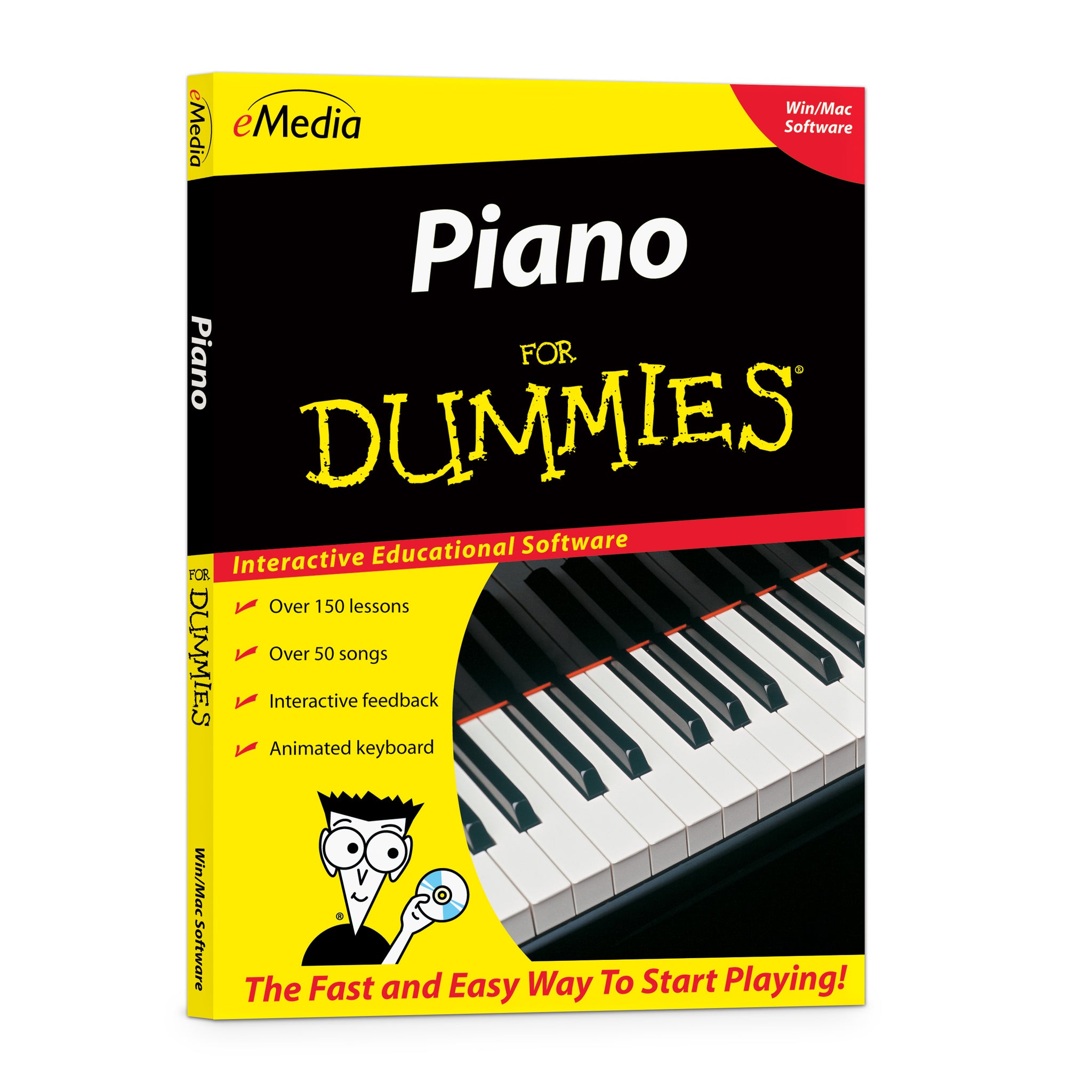
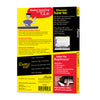
eMedia Piano For Dummies lets you learn piano at your own pace the fun way! Learn piano at home with piano lessons software that combines the For Dummies attitude with eMedia Interactive Feedback technology to help you learn faster. Play easy piano songs in a multitude of styles ranging from Billy Joel’s “Piano Man” to Bach’s “Minuet in G,” to keep you interested. eMedia’s learn to play piano software helps you learn piano basics with over 150 easy piano lessons by Irma Irene Justicia, M.A., who taught at the renowned Juilliard School of Music. Learn piano today with this critically-acclaimed, beginner piano lesson tutorial.
The Fast and Easy Way to Learn to Play Piano!
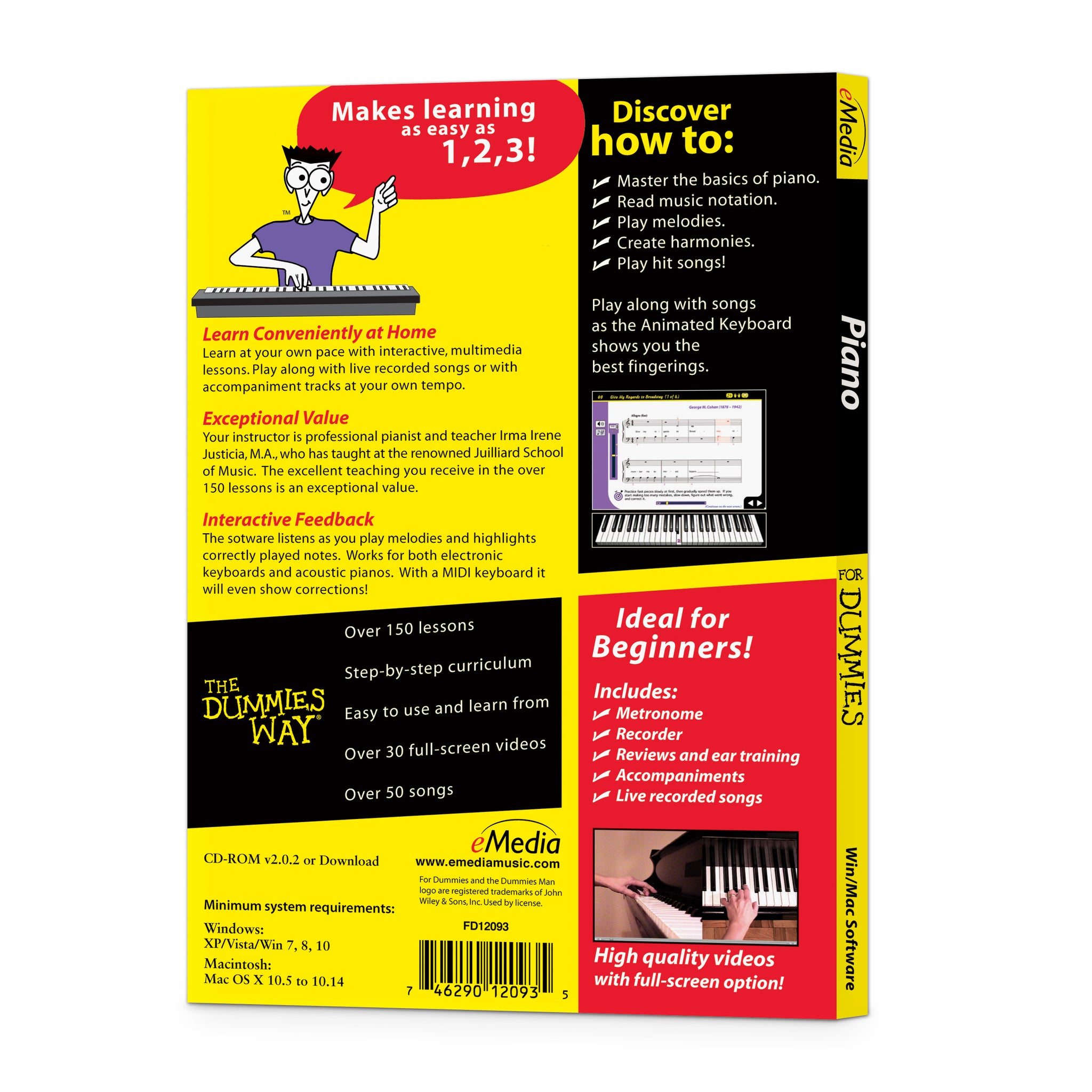
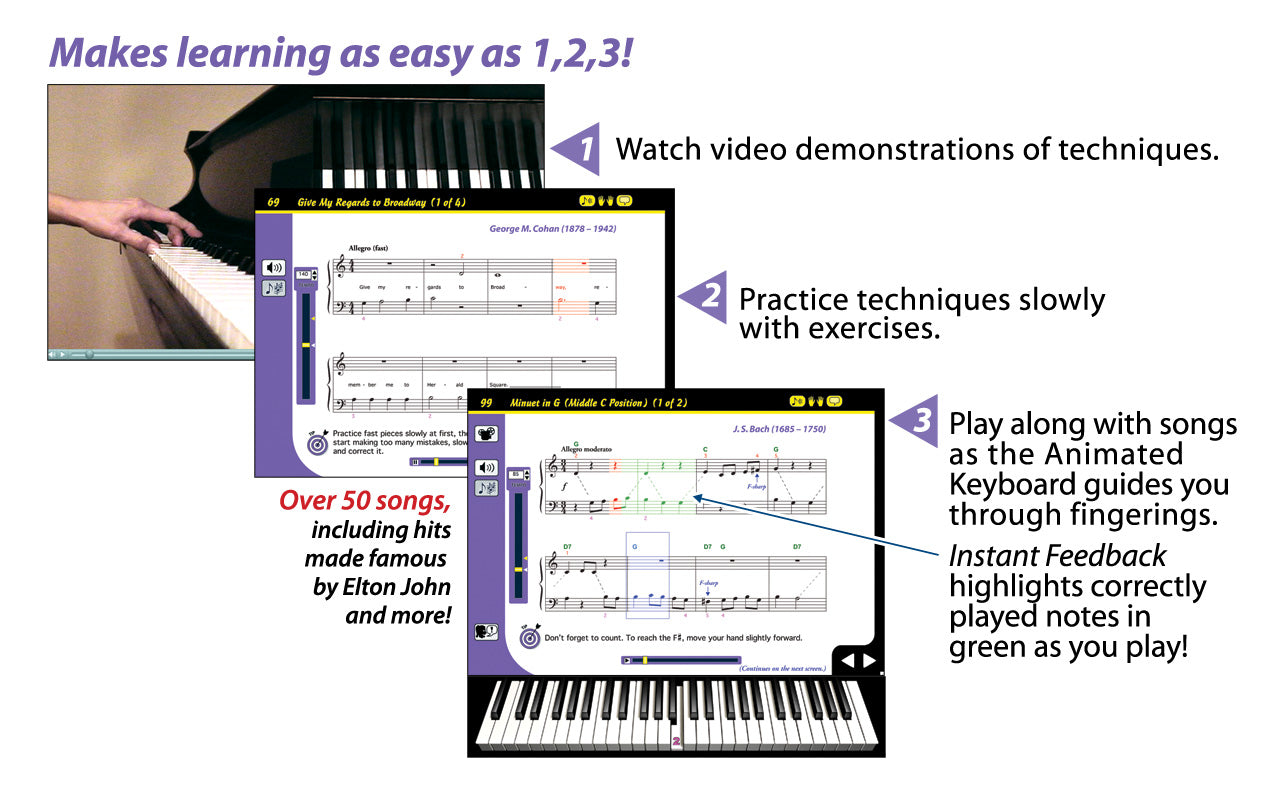
The award-winning eMedia Piano For Dummies is a fun and easy way to learn piano or keyboard from the comfort of your home. Arranged in six chapters, the over 150 step-by-step piano lessons cover the basics such as hand position, rhythm and playing on black keys, then move on to more advanced concepts such as music notation, sight reading, intervals, melodies and harmonies. On-screen teacher Irma Irene Justicia, M.A., provides clear and friendly instruction. Learn to play at your own pace from easy-to-follow interactive lessons with video demonstrations. Enjoy playing along with live recorded songs or have fun playing with accompaniments that you can slow down or speed up.

Beginner piano lessons have never been easier than with eMedia Piano For Dummies. It’s an infinitely patient, 24/7 personal tutor for your home computer.
Anyone Can Learn How to Play Piano
eMedia Piano For Dummies features music from classics to popular modern hits to make learning fun! Enhanced multi-track audio and colorful MIDI accompaniments enhance the learning experience. Learn with over 50 classical, pop and folk songs such as George Cohen’s “Give My Regards To Broadway,” Ludwig van Beethoven’s “Ode to Joy,” Billy Joel’s “Piano Man.” and many others!
 Video Instruction Professional piano instructor Irma Irene Justicia, M.A. guides you in over 30 piano lesson videos demonstrating techniques.
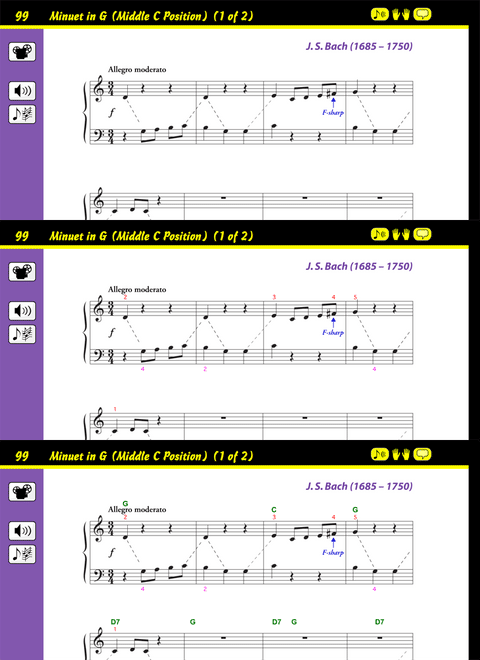
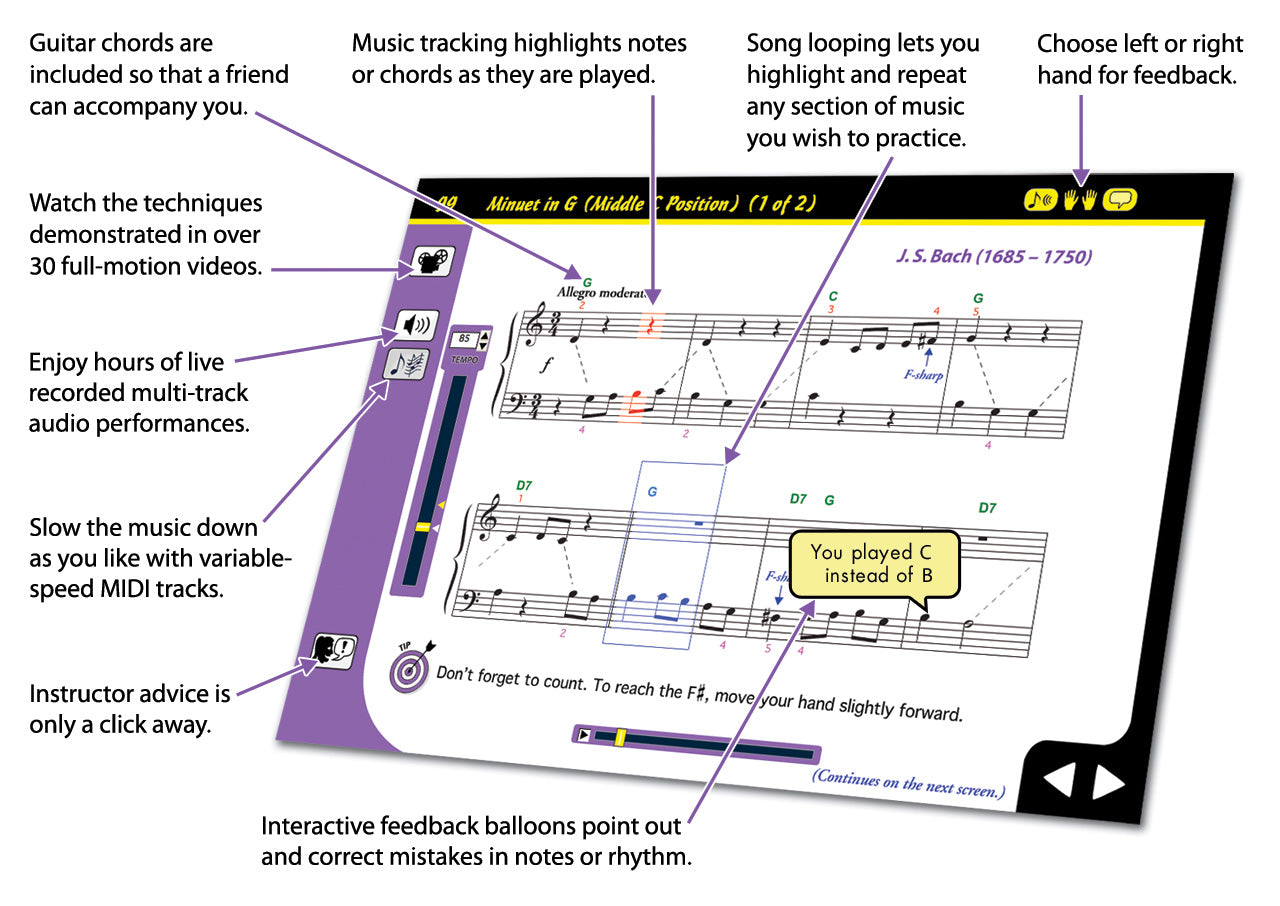
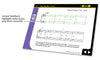
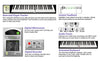
Piano Fingerings help teach you the correct fingering for each note. Guitar chords are included so a friend who is learning guitar can play along with you. Piano fingerings and guitar chords can be toggled on or off for any screen.

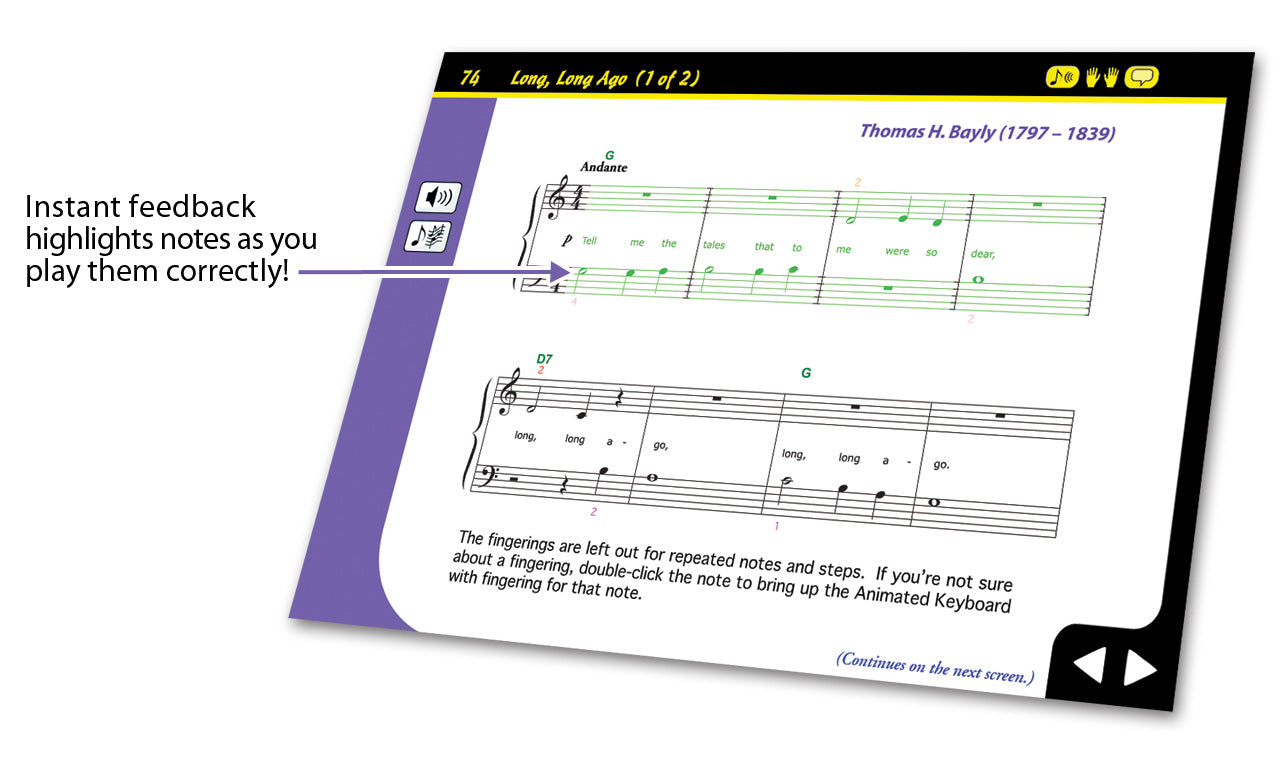
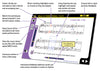
Instant Feedback shows you when you play the correct notes as you progress through a melody. Your computer will listen as you play and highlight correctly played notes in green. As you reach your goal of playing the melody correctly, you’ll discover that reading music notation is easier than you ever thought possible!
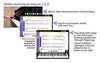
 With Interactive Evaluation Feedback, when using an electronic MIDI-compatible keyboard, you can get specific feedback on note and rhythm mistakes made while playing to help you get it right! Click a feedback balloon and the Animated Keyboard shows you exactly what mistake was made and what should have been played. An overall percentage score summarizes how well you did on the song.
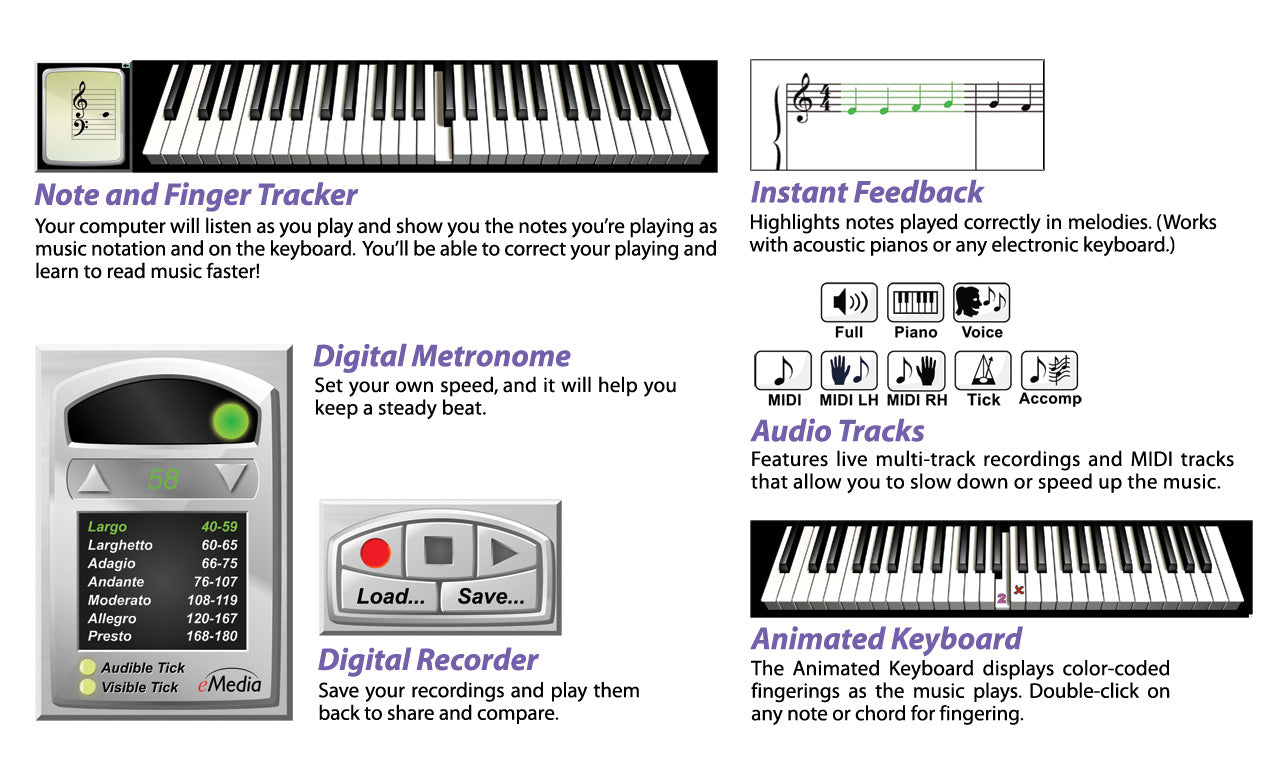
 The Animated Keyboard displays color-coded fingerings as the music plays. It allows you to see exactly how to play the song on a keyboard as you hear the music. Music tracking highlights the notes being played on the screen making it simple to follow along.
 The Note and Finger Tracker tools show you the note you play as music notation and on eMedia’s Animated Keyboard. You’ll be able to correct your playing and learn to read music faster!

Reviews and Ear Training Quizzes help reinforce new concepts and develop your ear.
 Live-recorded multitrack audio is included for all songs and exercises. Audio playback options include piano only, voice only, and full audio featuring both piano and vocal performances.
 Use the variable-speed MIDI tracks to slow the music down to any tempo, and the Animated Keyboard will show the fingerings in time. You can play along and learn at the pace best suited to you!
MIDI playback options let you hear the left- or right-hand parts in isolation or just the metronome track, if you like. Colorfully arranged accompaniments are also available and can be a joy to play along with!

Progress Tracking Personalized reports show your rate of progress, including scores for specific songs (when using a MIDI keyboard).
 With a Metronome, set your own tempo and work on your speed, rhythm, and timing. Provides both visual cue and/or audio tick. Full range of tempi, from largo to presto.
 Use the Recorder to record and play yourself back! Compare your performance with the instructor’s version to fine tune your skills. Share your recordings with friends and family!
Attention Educators, please visit our academic product page for information on using this product in schools or for private group instruction.
Also available: eMedia Piano For Dummies Level 2 and eMedia Piano For Dummies Deluxe – a two-volume bundle featuring both Levels 1 and 2. (Note: eMedia Piano For Dummies Levels 1 and 2 together are roughly equivalent to the contents of eMedia Piano and Keyboard Method.)
Start Playing Piano Today the Piano For Dummies Way
eMedia Piano For Dummies lets you learn piano at your own pace the fun way! Learn piano at home with piano lessons software that combines the For Dummies attitude with eMedia Interactive Feedback technology to help you learn faster. Play easy piano songs in a multitude of styles ranging from Billy Joel’s “Piano Man” to Bach’s “Minuet in G,” to keep you interested. eMedia’s learn to play piano software helps you learn piano basics with over 150 easy piano lessons by Irma Irene Justicia, M.A., who taught at the renowned Juilliard School of Music. Learn piano today with this critically-acclaimed, beginner piano lesson tutorial.
The Fast and Easy Way to Learn to Play Piano!
The award-winning eMedia Piano For Dummies is a fun and easy way to learn piano or keyboard from the comfort of your home. Arranged in six chapters, the over 150 step-by-step piano lessons cover the basics such as hand position, rhythm and playing on black keys, then move on to more advanced concepts such as music notation, sight reading, intervals, melodies and harmonies. On-screen teacher Irma Irene Justicia, M.A., provides clear and friendly instruction. Learn to play at your own pace from easy-to-follow interactive lessons with video demonstrations. Enjoy playing along with live recorded songs or have fun playing with accompaniments that you can slow down or speed up.
Beginner piano lessons have never been easier than with eMedia Piano For Dummies. It’s an infinitely patient, 24/7 personal tutor for your home computer.
Anyone Can Learn How to Play Piano
eMedia Piano For Dummies features music from classics to popular modern hits to make learning fun! Enhanced multi-track audio and colorful MIDI accompaniments enhance the learning experience. Learn with over 50 classical, pop and folk songs such as George Cohen’s “Give My Regards To Broadway,” Ludwig van Beethoven’s “Ode to Joy,” Billy Joel’s “Piano Man.” and many others!
Video Instruction Professional piano instructor Irma Irene Justicia, M.A. guides you in over 30 piano lesson videos demonstrating techniques.
Piano Fingerings help teach you the correct fingering for each note. Guitar chords are included so a friend who is learning guitar can play along with you. Piano fingerings and guitar chords can be toggled on or off for any screen.
Instant Feedback shows you when you play the correct notes as you progress through a melody. Your computer will listen as you play and highlight correctly played notes in green. As you reach your goal of playing the melody correctly, you’ll discover that reading music notation is easier than you ever thought possible!
With Interactive Evaluation Feedback, when using an electronic MIDI-compatible keyboard, you can get specific feedback on note and rhythm mistakes made while playing to help you get it right! Click a feedback balloon and the Animated Keyboard shows you exactly what mistake was made and what should have been played. An overall percentage score summarizes how well you did on the song.
The Animated Keyboard displays color-coded fingerings as the music plays. It allows you to see exactly how to play the song on a keyboard as you hear the music. Music tracking highlights the notes being played on the screen making it simple to follow along.
The Note and Finger Tracker tools show you the note you play as music notation and on eMedia’s Animated Keyboard. You’ll be able to correct your playing and learn to read music faster!
Reviews and Ear Training Quizzes help reinforce new concepts and develop your ear.
Live-recorded multitrack audio is included for all songs and exercises. Audio playback options include piano only, voice only, and full audio featuring both piano and vocal performances.
Use the variable-speed MIDI tracks to slow the music down to any tempo, and the Animated Keyboard will show the fingerings in time. You can play along and learn at the pace best suited to you!
MIDI playback options let you hear the left- or right-hand parts in isolation or just the metronome track, if you like. Colorfully arranged accompaniments are also available and can be a joy to play along with!
Progress Tracking Personalized reports show your rate of progress, including scores for specific songs (when using a MIDI keyboard).
With a Metronome, set your own tempo and work on your speed, rhythm, and timing. Provides both visual cue and/or audio tick. Full range of tempi, from largo to presto.
Use the Recorder to record and play yourself back! Compare your performance with the instructor’s version to fine tune your skills. Share your recordings with friends and family!
Attention Educators, please visit our academic product page for information on using this product in schools or for private group instruction.
Also available: eMedia Piano For Dummies Level 2 and eMedia Piano For Dummies Deluxe – a two-volume bundle featuring both Levels 1 and 2. (Note: eMedia Piano For Dummies Levels 1 and 2 together are roughly equivalent to the contents of eMedia Piano and Keyboard Method.)
Contents Summary
Introduction
I. Playing on Black Keys - Rhythm
The Piano and Keyboard; Direction of Sound; Counting and Time Signatures; Improvisation on Black Keys with Rhythmic Flashcards; Playing Songs on Black Keys.
II. Playing on White Keys - Notes
Introducing Note Reading; Playing Songs on White Keys in Middle C Position.
III. Tempo, Dynamics and Sight Reading
Tempo Markings; Dynamics Markings; More Songs in Middle C Position; Sight Reading with Twisted Melodies.
IV. Playing Songs with Accompaniment
Playing Accompaniments: Songs with Both Hands Playing Together in Middle C Position; the Sharp, Flat and Natural Signs.
V. Legato and Staccato
More Songs in Middle C Position; Counting Dotted Quarter Notes; Playing Legato, Staccato and the Two-Note Slur.
VI. The C Position and Intervals
Introducing Melodic and Harmonic Intervals; Playing Songs in C Position; Creating Melodies and Harmonies.
XII. A Short Trip into the History of Music
Famous Melodies from the Baroque, Classical and Romantic Periods, and 20th Century American Music: Ragtime, Blues, Rock; Patriotic and Holiday Songs.
Appendix
Button Symbols; Commands and Shortcuts; Song Looping; Tools (Metronome, Recorder, Note and Finger Tracker); Interactive Evaluation Feedback; Electronic Keyboards.
What reviewers are saying...
 2010 Best Tools for Schools:
The Best Intermediate Teaching Tool
– School Band and Orchestra Magazine
What customers are saying...
“I am in love with this program. I have made so much progress and in a matter of days. I have never even played before, but it feels like I have learned a years worth.”
– Joshua Gruhala of St. Louis, MO
“Excellent! Highly recommended.”
– Julian Gutierrez of Phoenix, AZ
“If this course would only do the practicing for me, it would be PERFECT!!! Its a great learning tool....HIGHLY RECOMMENDED....”
– Tom Lynch of Middletown, CT
“So far so good learning the piano. I need more time to practice. Good to know the things I didn’t ask as a kid.”
– Mark Nye of Nokomis, FL
“I am enjoying this program and have learned a lot so far. I work with it everyday.”
– Florence Barnes of Davenport, FL
“Very pleased. Made learning a lot more pleasurable than previous tries.”
– Douglas Bagnall of Huddersfield, England
“So far I am very satisfied with this program. I’m 67 and have always wanted to play the piano, even if it was just simple songs. I think this program will satisfy that and much more. Thank you.”
– Wayne Mack of Menifee, CA
“Piano For Dummies is a very easy way to learn beginning keyboards.”
– Stephen Turner of SC
“I am very shocked how much I’ve learned in a short period of time. I am very grateful for the software.”
– Latoya of Harrisburg, PA
“It is very helpful and user friendly.”
– David Atmore of Surprise, AZ
“This learning CD is just perfect for me & my schedule. I’ve wanted to learn to play the piano for years.”
– Diane Lewis of Woodbridge, VA
“I took piano lessons when I was a young girl. As my family grew, my parents could no longer afford to send me. I am 57 years old and learning the piano again is on my bucket list! Piano For Dummies is helping me conquer this last wish. Thank you.”
– Taryn Phillips of Lithonia, GA
“Brilliant interactive way to learn. If I’d had this when I was a kid I could have been on telly by now.”
– Richard Cargill of Middlesbrough, UK
“A very nice, easy to learn method. Helpful for a beginner like me.”
– Angelos Erfesoglou of Houston, TX
“I think it is very well laid out for someone who has know idea what they are doing. I have learned a lot so far but still have a long way to go. It gives you direction which is what I need. Practice Practice Practice is the key.”
– Frederick Neece of Moline, IL
“I have played guitar by ear since I was 16 years old. I’m 62 and retired. This program has gotten me into learning to read music. I wish I had done this a long time ago. The program is easy to understand and follow.”
– Norman Tyrrell of Melrose, FL
“Great! Learning piano is not so boring any more. It’s really joyful, lesson by lesson. Thank you very much!”
– Maciej Koldys of Bingley, West Yorkshire
“So far so good! I really like it! The interactive softrware is outstanding for a true beginner. The only alternative if you practice is to learn. I think that is the idea.”
– Sterling Bridges of Phoenix, AZ
“It’s an easy way to experience how great the piano is!”
– Tanatswa Kalenga of London, UK
“Can’t believe I’m picking it up so quick. Great learning tool.”
– Rick Gamboa of McAllen, TX
“So far good experience. Approach is simple and easy to follow at this point. Visual examples really good for new players.”
– Vernon Walker of Grayson, GA
“I purchased this program for my granddaughter. She has such an interest in music. After watching her excel through the program I thought why not try? Whoever said you can’t teach an old dog new tricks is wrong! Clear cut and understandable.”
– Steve White of Pascoag, RI
“It is amazing how I am learning without knowing it. It may be because I am having fun.”
– David Joyce of Winston-Salem, NC
“This is a highly intuitive course that makes learning easy and fun. I am coming up to speed much faster than I had expected and am impressed in the way the material is presented. Thank you.”
– Bruno of Minnetonka, MN
“I have no musical background. I am 73 yrs. old and have learned this year to play the keyboard this year. Without this program I could never have done it.”
– Hedy Siewierski of Las Vegas, NV
“It’s so easy to follow! I love the fact that it teaches you the actual notes. I’ve always wanted to learn the piano/keyboard and never had the money/time for classes. This saved me time and money! I can do it whenever I want to!”
– Jonathan Celestin of Stone Mountain, GA
“Gr8 learning experience. I took Solfège (music theory) when I was a child, but this experience makes learning fun and relevant.”
– David Rector of Fairburn, GA
“It’s been very helpful so far. I was surprised how quickly I started to understand how to read music.”
– Gretchen Myers of Kittanning, PA
“It has helped me with my understanding of music note values so I can improve my singing skills.”
– Joanna Moorehead of Colorado Springs, CO
“I love it! It has been a very good way for me to learn the piano/keyboard. Enjoying it very much!”
– Danielle Jones of Glen Burnie, MD
“It’s awesome. So easy to follow. Best investment for grandchildren and myself.”
– David Fix of Lawrenceville, GA
“It is really a great program for beginners. I have picked up a lot of skills, and I plan on using this to refresh my memory when I have completed it.”
– Gregory Irish of Matawan, NJ
“I absolutely love these lessons!!! I don’t know how long they’ve been available in this format, but I wish I’d known about them sooner!!!”
– Sylvester Island, Jr. of Chicago, IL
“I will make it simple... just wonderful! You can understand the program. It’s easy enough for anybody to learn.”
– Zulma Lind of Orlando, FL
“The big step so far has come at accompaniment. It’s been tough, but it’s helped a lot!”
– Donny W.
“Seriously it’s great, and it gives students a good foundation in a fun and interactive approach.”
– Peter Dugger of Cotuit, MA
“I’m playing a Billy Joel song!! I’m having fun learning. No pressure. Back and forth between chapters.”
– Elizabeth Kent of New City, NY
“Very interactive and explained well, step-by-step. Love the videos and how I can follow along on the screen with every note played.”
– Michael H. of Costa Mesa, CA
“I like the content given to me in the short concise way it is. I can read a page a day.”
– Henry Davies of Runcorn, U.K.
“Good work!”
– Jaime Rivera of Bronx, NY
“It’s a really great way to learn the piano! Love it! Thanks.”
– Renee Weirup of Patterson, CA
“So far it’s been a great learning tool.”
– Longoria of Edinburg, TX
System requirements
Windows®: Windows 11 / 10 / 8 / 7 / Vista / XPDownload or CD-ROM Macintosh®: macOS 10.5 to 10.14 *
Download or CD-ROM
Internet connection recommended for online activation. Requires a Windows desktop, laptop, or tablet device; or a 32-bit (only) Mac desktop or laptop computer. Not compatible with iPhones, iPads, Android, or Chromebook devices.
* Attention Mac Users Beginning with macOS 10.15 (Catalina), Apple has eliminated the option to run 32-bit apps on the Mac. If you wish to continue using our applications, which currently require 32-bit support, do not upgrade your operating system past Mac OS 10.14 (Mojave). Alternatively, you can retain an older Mac operating system on a separate drive partition. eMedia developers are currently working on software updates to support Catalina and future versions of macOS, but this is a major undertaking. We are currently unable to foresee how long it will take us to create these new versions. If you purchased your eMedia Mac software on or after September 7, 2019, upon receiving proof of purchase we will provide you with a free upgrade to a macOS 10.15 (Catalina)-compatible version of an eMedia application when it becomes available. All other registered owners of eMedia software will be qualified for discounted upgrades.
Questions about system requirements? Contact our technical support department.