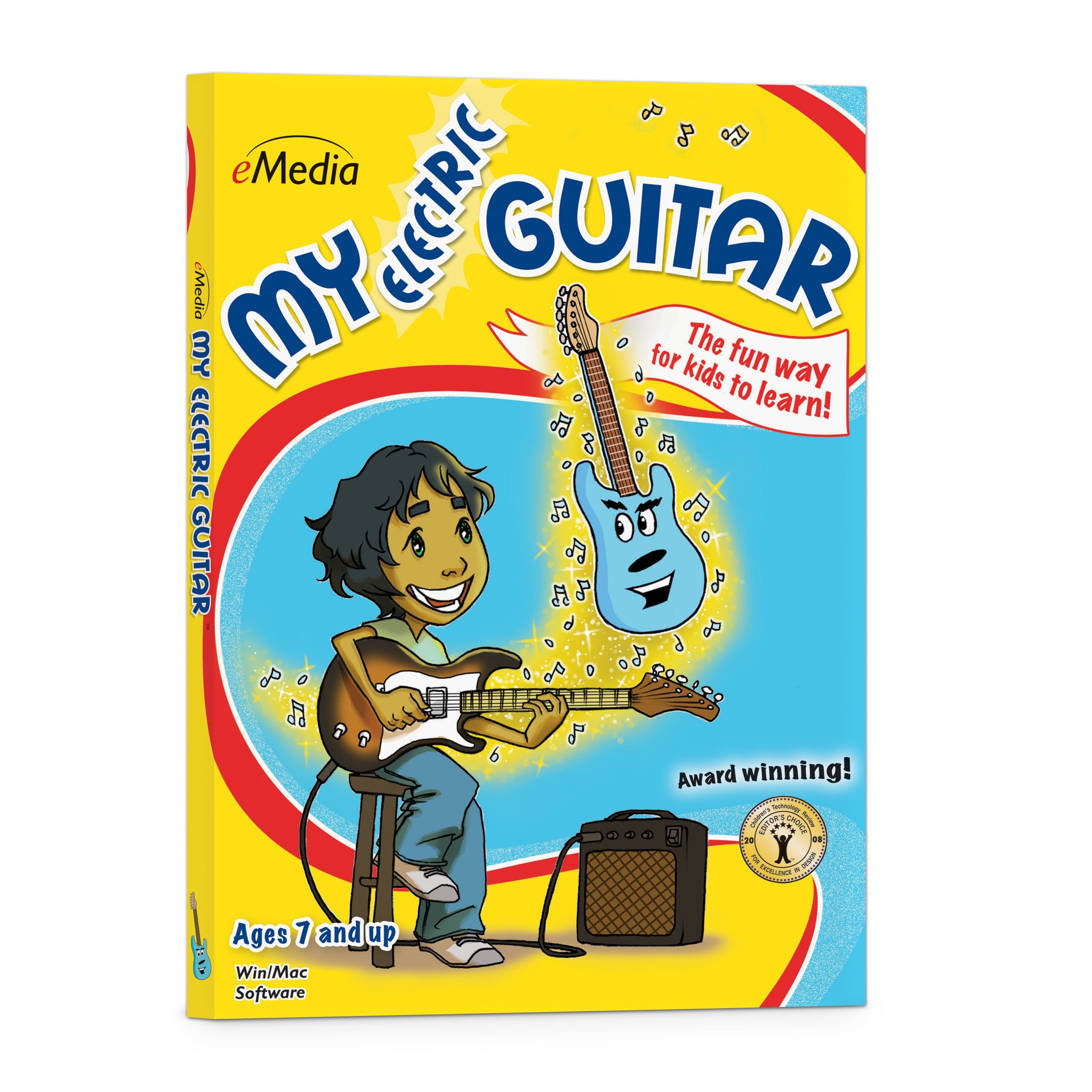


eMedia My Electric Guitar
It’s easy and fun to learn with Rocky the Guitar!
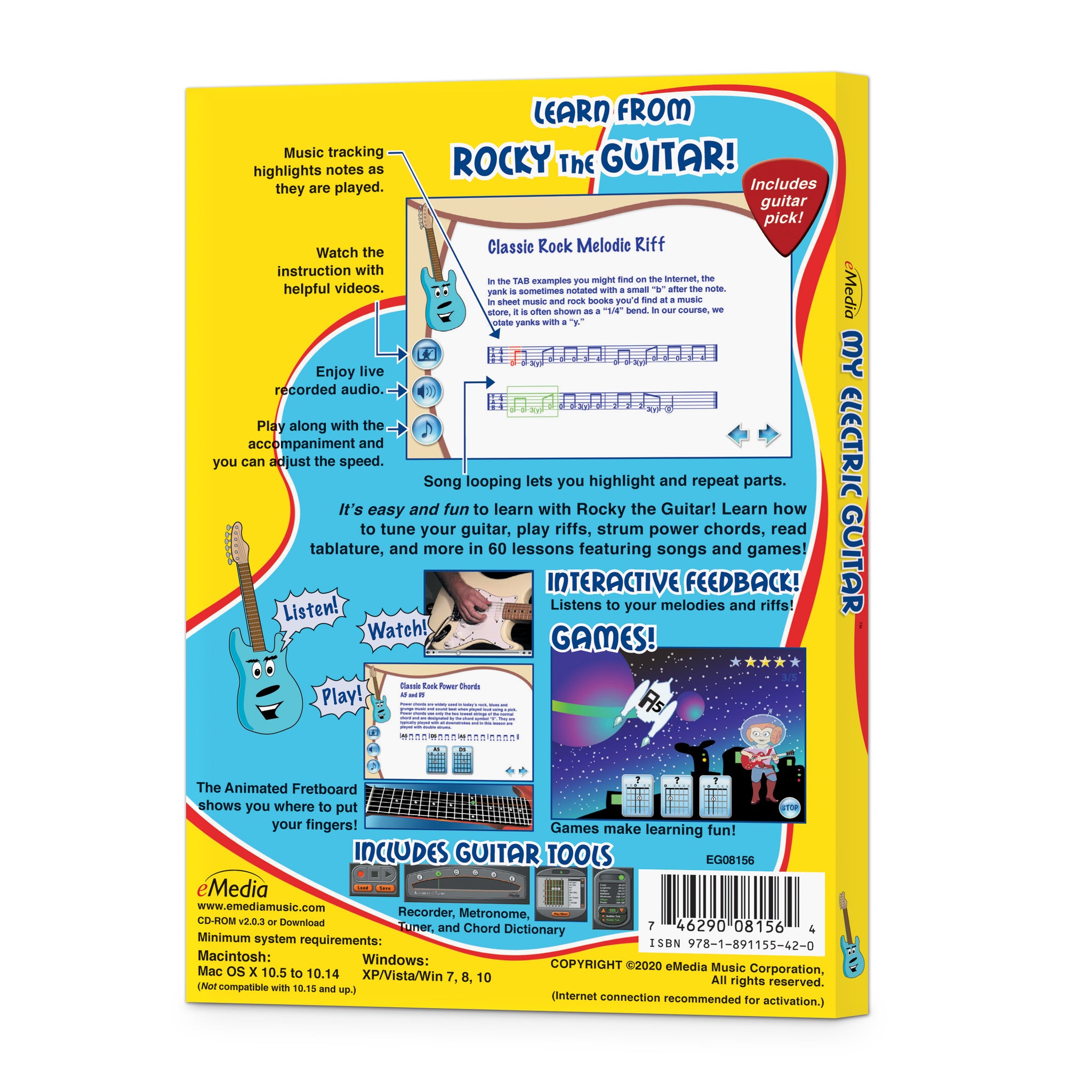
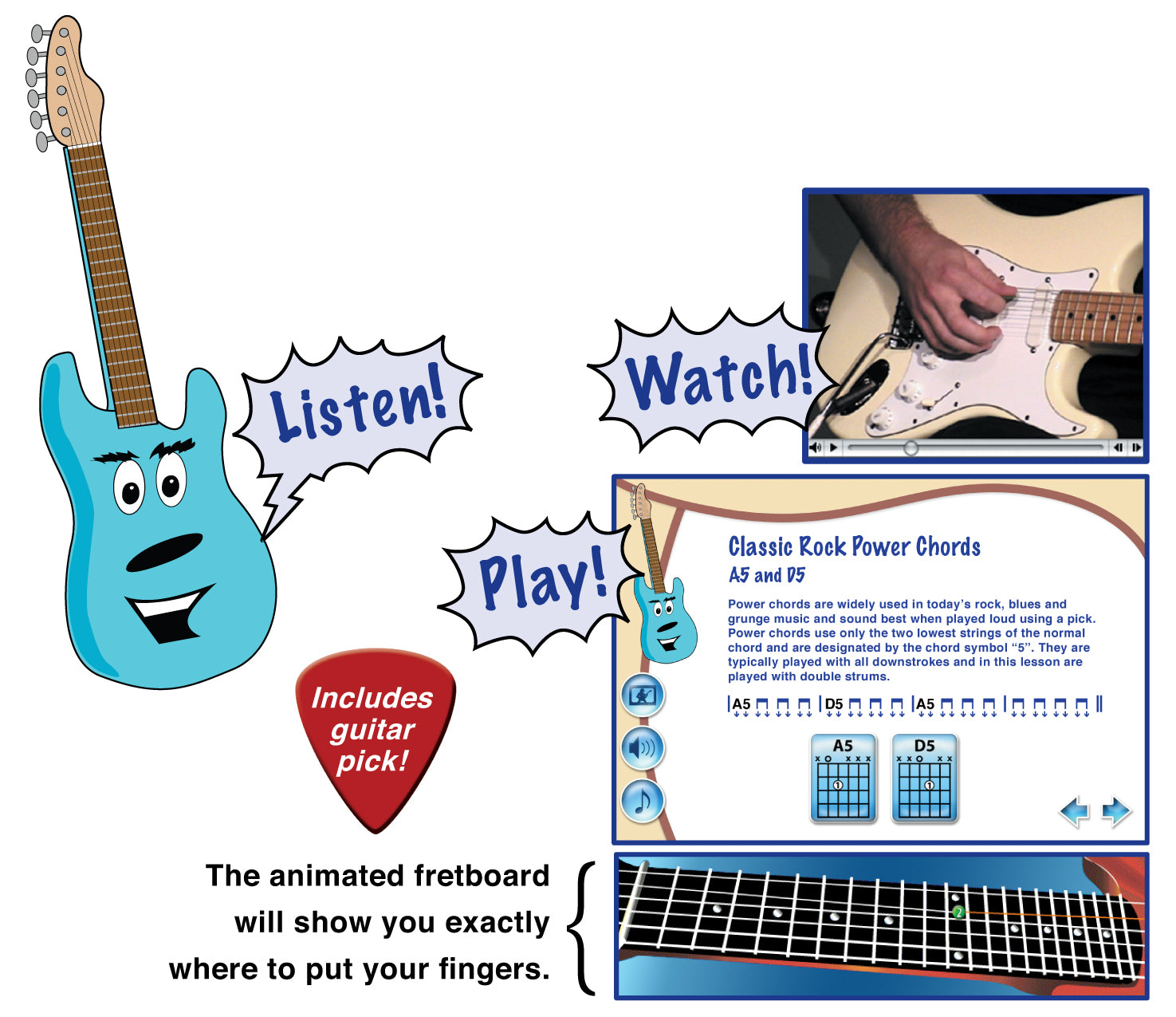
Rocky explains how, the videos show how, and the screens have the songs. Students can learn how to tune their guitar, play riffs, strum power chords, and more.
- SKU: EG08156DLWS
Discount Code Found:
However, this item is currently on sale, and discount codes may not be combined with other offers.
Click ‘Add to Cart.’ Then ‘Go to Cart’ and click ‘Proceed to Checkout’ to see it applied on the next page (if applicable to your order). Discount codes may not be combined with other offers.
Click ‘Add to Cart.’ Then ‘Go to Cart’ and click ‘Proceed to Checkout’ to see it applied on the next page (if applicable to your order).
Interactive Electric Guitar Lessons Software for Kids
Kids Beginner Electric Guitar Lessons that Keep Learning Fun with Music Games and Interactive Feedback!
Now kids can learn how to play electric guitar the fun and easy way. eMedia My Electric Guitar features Rocky the Guitar, an animated character who leads children through a selection of beginner guitar lessons for kids. It was designed by Charles McCrone, a graduate of the renowned Guitar Institute of Technology at Musician’s Institute. Over 60 guitar lessons cover power chords, riffs, how to read guitar tabs, and more. Kids even get a taste of simple lead guitar as they learn how to play the blues scale. eMedia’s Animated Fretboard shows children where to place their fingers, so they learn faster. Interactive Feedback listens to them with the computer’s microphone to let them easily see if they are playing the correct notes in melodies and riffs. These beginner lessons include fun, interactive music games for kids to keep them engaged and learning.
Kids Can Learn to Play Electric Guitar
 Research proves that children who play music excel in their schoolwork and social interactions. Kids guitar lessons can build self-confidence, discipline for good study habits, and encourage creativity. Get music into a child’s life with eMedia My Electric Guitar - beginner guitar lessons for kids that deliver electric, rockin’ fun!

The Fun Way to Learn Now it’s easy for kids ages 7 and up to learn how to play electric guitar! An animated character named Rocky the Guitar guides kids through lessons by Charles McCrone, graduate of the cutting-edge Guitar Institute of Technology (GIT). Kids will learn chords, riffs, and lots of songs that they can share with friends!

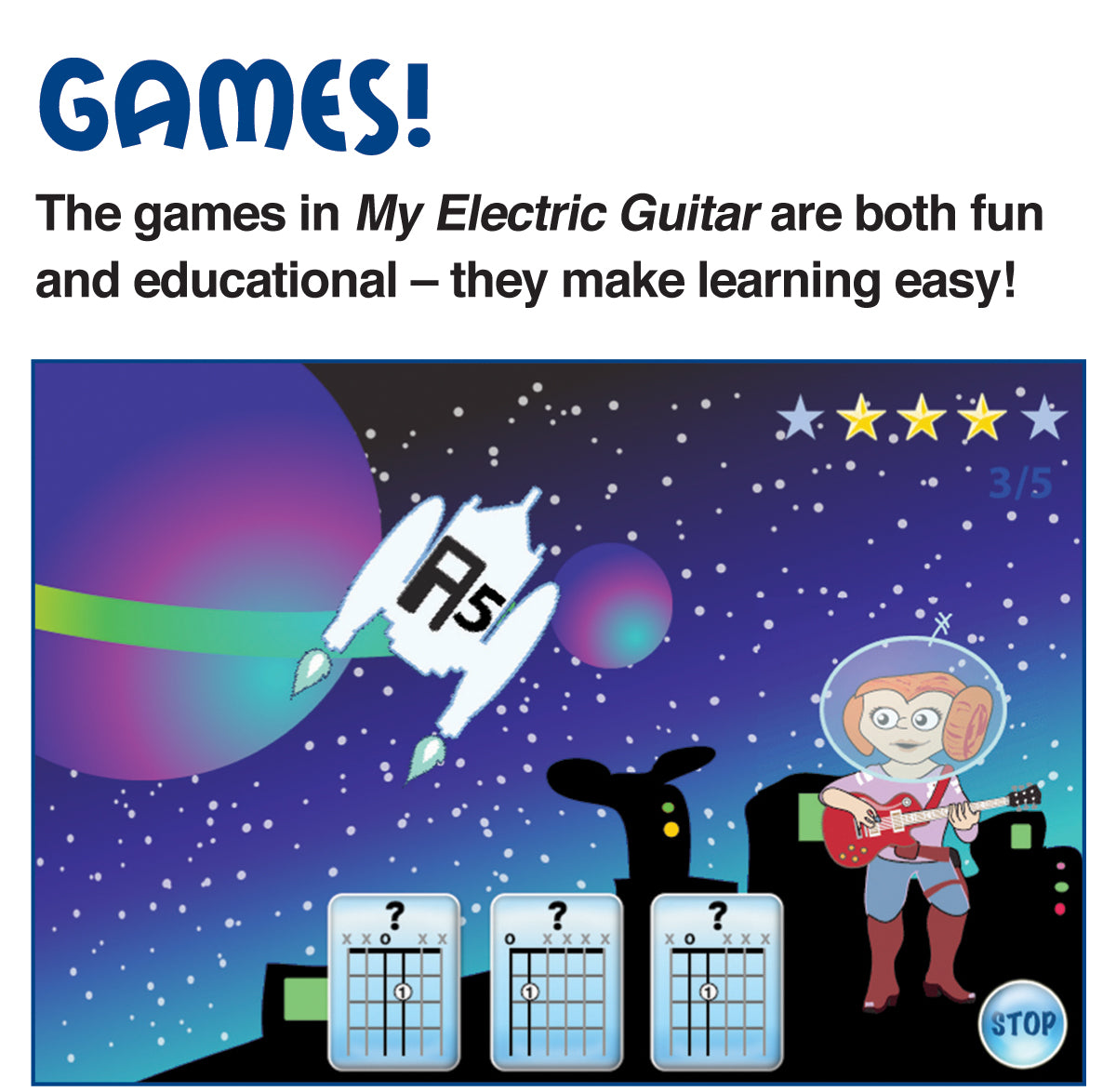
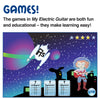
Educational Games help children learn chords and songs by reviewing what they learned in the lessons. While interacting with playful characters and scenes, kids will have fun while learning music!

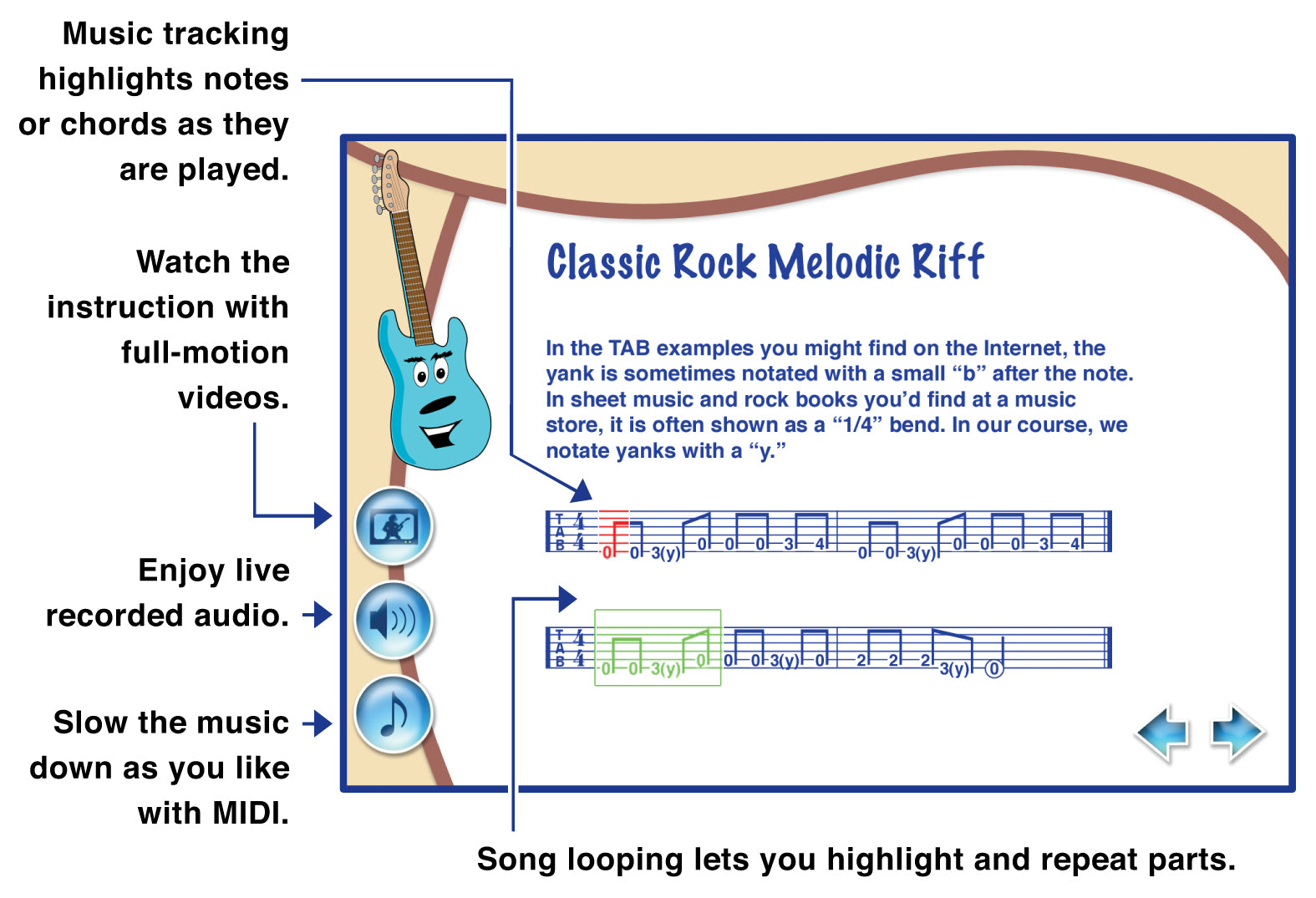
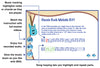
Interactive Feedback highlights notes in green as you play them correctly! (Just play the guitar into your computer’s microphone.)
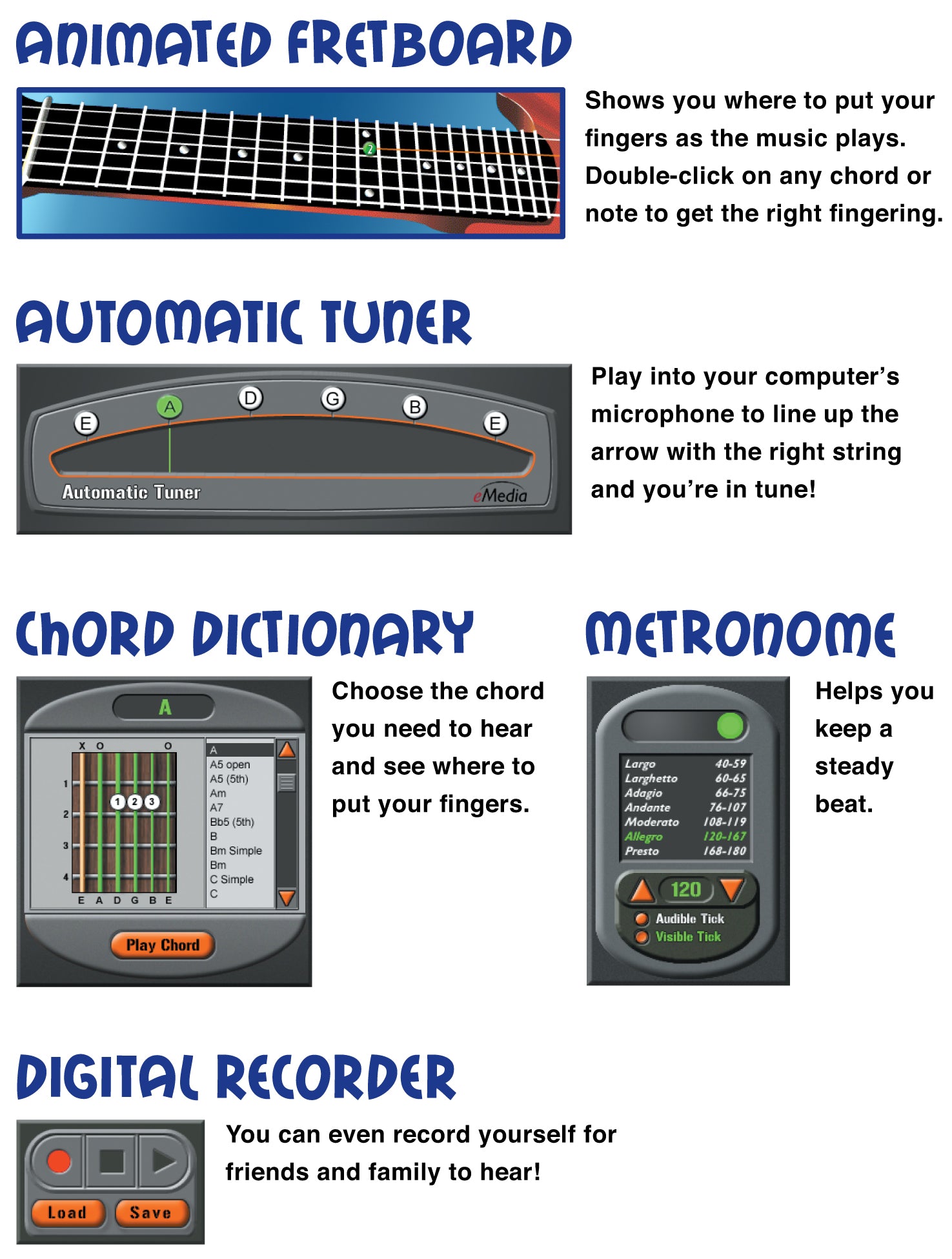
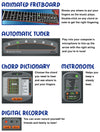
 The Animated Fretboard shows the correct fingerings as the music plays. Double-clicking on any chord or note will also show kids where to put their fingers. Choose from right-handed, left-handed, and mirror views!
 With Song Looping and Highlighting the student can select a portion of a song or lessons and loop it for playback at whatever speed they are comfortable playing.
 The included video instruction is easy to follow and features split-screens and close-ups that guide students through songs and playing techniques.
 With the built-in interactive Guitar Tuner the student can get tuned up quickly and easily. They can just line up the arrow with the right string and be in tune!
 The Guitar Chord Dictionary is an extremely helpful tool, displaying over 250 chord charts! Simply click on a chord and the student will hear what it sounds like and see the right fingerings.
 With a Metronome, students can set their own tempo and get audio and/or visual cues for staying on beat so they can play in time with the music.
 The Recorder allows students to play into the computer’s built-in microphone (or an external one), record their performance, and save it to the computer. This handy tool lets them listen to what they played and share it with their family and friends.
Attention Educators, please visit our academic product page for information on using this product in schools or for private group instruction.
Interactive Electric Guitar Lessons Software for Kids
Kids Beginner Electric Guitar Lessons that Keep Learning Fun with Music Games and Interactive Feedback!
Now kids can learn how to play electric guitar the fun and easy way. eMedia My Electric Guitar features Rocky the Guitar, an animated character who leads children through a selection of beginner guitar lessons for kids. It was designed by Charles McCrone, a graduate of the renowned Guitar Institute of Technology at Musician’s Institute. Over 60 guitar lessons cover power chords, riffs, how to read guitar tabs, and more. Kids even get a taste of simple lead guitar as they learn how to play the blues scale. eMedia’s Animated Fretboard shows children where to place their fingers, so they learn faster. Interactive Feedback listens to them with the computer’s microphone to let them easily see if they are playing the correct notes in melodies and riffs. These beginner lessons include fun, interactive music games for kids to keep them engaged and learning.
Kids Can Learn to Play Electric Guitar
Research proves that children who play music excel in their schoolwork and social interactions. Kids guitar lessons can build self-confidence, discipline for good study habits, and encourage creativity. Get music into a child’s life with eMedia My Electric Guitar - beginner guitar lessons for kids that deliver electric, rockin’ fun!
The Fun Way to Learn Now it’s easy for kids ages 7 and up to learn how to play electric guitar! An animated character named Rocky the Guitar guides kids through lessons by Charles McCrone, graduate of the cutting-edge Guitar Institute of Technology (GIT). Kids will learn chords, riffs, and lots of songs that they can share with friends!
Educational Games help children learn chords and songs by reviewing what they learned in the lessons. While interacting with playful characters and scenes, kids will have fun while learning music!
Interactive Feedback highlights notes in green as you play them correctly! (Just play the guitar into your computer’s microphone.)
The Animated Fretboard shows the correct fingerings as the music plays. Double-clicking on any chord or note will also show kids where to put their fingers. Choose from right-handed, left-handed, and mirror views!
With Song Looping and Highlighting the student can select a portion of a song or lessons and loop it for playback at whatever speed they are comfortable playing.
The included video instruction is easy to follow and features split-screens and close-ups that guide students through songs and playing techniques.
With the built-in interactive Guitar Tuner the student can get tuned up quickly and easily. They can just line up the arrow with the right string and be in tune!
The Guitar Chord Dictionary is an extremely helpful tool, displaying over 250 chord charts! Simply click on a chord and the student will hear what it sounds like and see the right fingerings.
With a Metronome, students can set their own tempo and get audio and/or visual cues for staying on beat so they can play in time with the music.
The Recorder allows students to play into the computer’s built-in microphone (or an external one), record their performance, and save it to the computer. This handy tool lets them listen to what they played and share it with their family and friends.
Attention Educators, please visit our academic product page for information on using this product in schools or for private group instruction.
Contents Summary
Introduction
I. Introduction, About the Guitar, Preparing to Play
Welcome; using the electric guitar, about the electric guitar, amplifiers, electric guitar sizes, the guitar strings; tuning the guitar; holding the electric guitar; to stand or not to stand, right and left hand and finger positions; string, fret, and finger numbering; reading chord charts; Animated Fretboard
II. Power Chords, First Strum Patterns, Palm Muting
The musical alphabet, open position power chords, open position power chord song, The Power Chord Game, adding the double-strum, playing down and up strongs, AC/DC-style power chord song, adding accented strums, Rocky Be Goode, shifting the accented struyms, palm muting, Rock Steady with Palm Muting
III. Intro to TAB, Rock Riffs, Playing The Blues
Introducing TAB notation, picking an open string, picking on two strings, picking on three strings, fingering with the left hand, left hand exercises, minor rock riff, major rock riff, playing the blues scale, E blues scale riff, applying the E blues scale riff, alternate picking, the blues rhythm, the blues boogie, the 12-bar Blues
IV. Movable Power Chords, Power Chord Riffs, The ”Chika”
Movable power chords, Led Zeppelin-Style power chords, The Movable Power Chord Game 1 and 2, power chord riffs, melodic power chord riffs, power chords on the 5th string, palm muting with power chords, the ”chika”
IV. The ”Yank”, Bends, Hammer-Ons, Pull-Offs, Blues Scales, Lead Licks
The ”Yank”, classic rock riff with ”yank”, introducing bent notes, bend lick, introducing hammer-ons, hammer-on riff, introducing pull-offs, pull-off exercises, the movable blues scale, lead licks with the A blues scale, additional lead licks, Your Turn to Lead!
What reviewers are saying...
 EDITOR’S CHOICE 2009
– Children’s Technology Review
 “eMedia My Electric Guitar is an excellent value for any parent who wants to give their child a jump start at playing the electric guitar.”
– Chad Criswell, MusicEdMagic.com
What customers are saying...
“My 8 year old kid started playing major chords in first day and having fun with ‘crunchy’ mode.”
– Alexander Osadchenko of Irvine, CA
System requirements
Windows®: Windows 11 / 10 / 8 / 7 / Vista / XPDownload or CD-ROM Macintosh®: macOS 10.5 to 10.14 *
Download or CD-ROM
Internet connection recommended for online activation. Requires a Windows desktop, laptop, or tablet device; or a 32-bit (only) Mac desktop or laptop computer. Not compatible with iPhones, iPads, Android, or Chromebook devices.
* Attention Mac Users Beginning with macOS 10.15 (Catalina), Apple has eliminated the option to run 32-bit apps on the Mac. If you wish to continue using our applications, which currently require 32-bit support, do not upgrade your operating system past Mac OS 10.14 (Mojave). Alternatively, you can retain an older Mac operating system on a separate drive partition. eMedia developers are currently working on software updates to support Catalina and future versions of macOS, but this is a major undertaking. We are currently unable to foresee how long it will take us to create these new versions. If you purchased your eMedia Mac software on or after September 7, 2019, upon receiving proof of purchase we will provide you with a free upgrade to a macOS 10.15 (Catalina)-compatible version of an eMedia application when it becomes available. All other registered owners of eMedia software will be qualified for discounted upgrades.
Questions about system requirements? Contact our technical support department.