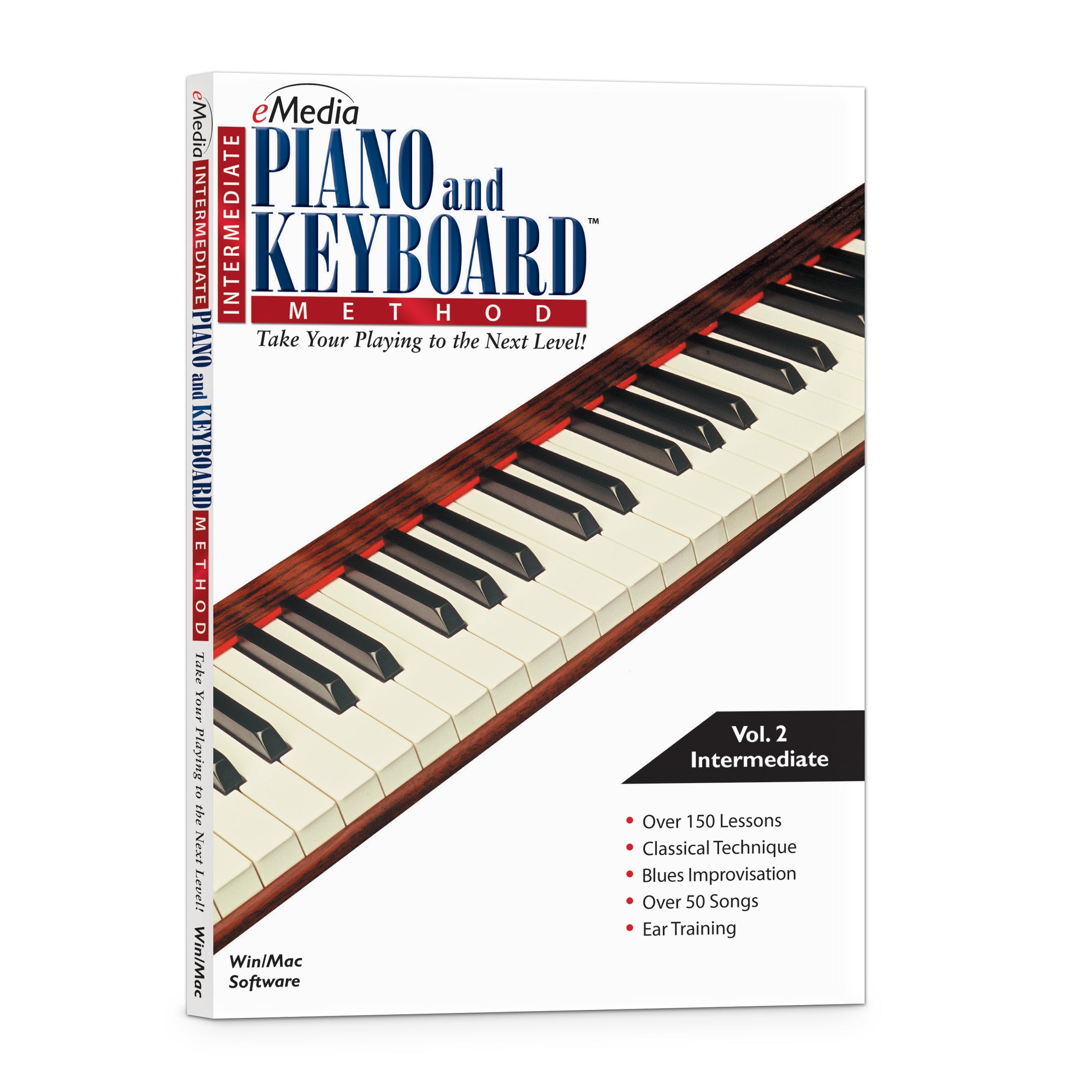
eMedia Intermediate Piano and Keyboard Method
“Excellent in its approach to the academics of learning the keyboard.”
– American Music Teacher Magazine
- SKU: EK03121DLWS
Discount Code Found:
However, this item is currently on sale, and discount codes may not be combined with other offers.
Click ‘Add to Cart.’ Then ‘Go to Cart’ and click ‘Proceed to Checkout’ to see it applied on the next page (if applicable to your order). Discount codes may not be combined with other offers.
Click ‘Add to Cart.’ Then ‘Go to Cart’ and click ‘Proceed to Checkout’ to see it applied on the next page (if applicable to your order).
Transform Your Playing Today with Piano Lessons That Teach Blues Piano, Advanced Piano Chords, Technique, Music Theory, and Piano Improvisation!
Improve Your Piano Skills and Techniques!
Vadim Ghin, M.M., who has taught at the renowned Juilliard School of Music, delivers over 150 intermediate-to-advanced piano lessons designed to help you improve piano technique, understand music theory, learn how to play blues piano, and get started with piano improvisation. Interactive Feedback technology makes this piano tutorial easy to understand, and you can click immediately to any of the piano lessons so you learn at your own pace.
The piano software includes over 50 classic piano pieces from composers like Chopin, Irving Berlin, and Jelly Roll Morton to make learning piano fun. It was carefully designed for students interested in continuing piano studies after completing eMedia Piano and Keyboard Method. Whether you want to work on piano technique, play a piano solo, learn new piano chords, or master classic piano pieces; the piano lessons found in eMedia Intermediate Piano and Keyboard Method piano software will help take your playing to the next level.

The over 150 step-by-step piano lessons offer a comprehensive curriculum that will teach the intermediate piano player the skills needed to take their playing to the next level. Beginning with intervals and expanded hand positions, the lessons progress through building dexterity, advanced rhythms and transitions, interpretive expression marks and voicing, and, finally, to blues improvisation based on the blues and the piano in Ensemble.
eMedia Intermediate Piano and Keyboard Method offers over 50 songs with a focus on blues, classics, conventional scales, chord progressions, improvisation, and other techniques necessary for mastering the piano:
- Beethoven (“Ecossaise”)
- Liszt (“Hungarian Rhapsody”)
- Tchaikovsky (“Swan Lake”)
- Dukas (“The Sorcerer’s Apprentice”)
- Chopin (Ballade No. 4)
- W. C. Handy (“St. Louis Blues”)
- Irving Berlin (“The Schoolhouse Blues”)
- Rachmaninoff (Third Piano Concerto)
- Mozart (Twenty-First Piano Concerto)
- “Jelly Roll” Morton (“Jelly Roll Blues”)
... and many more!
 Vadim Ghin, M.M., author of the innovative eMedia Intermediate Piano and Keyboard Method, holds a Masters Degree in Piano from the Julliard School of Music and has taught extensively at Juilliard, New York University, and the Manhattan School of Music.
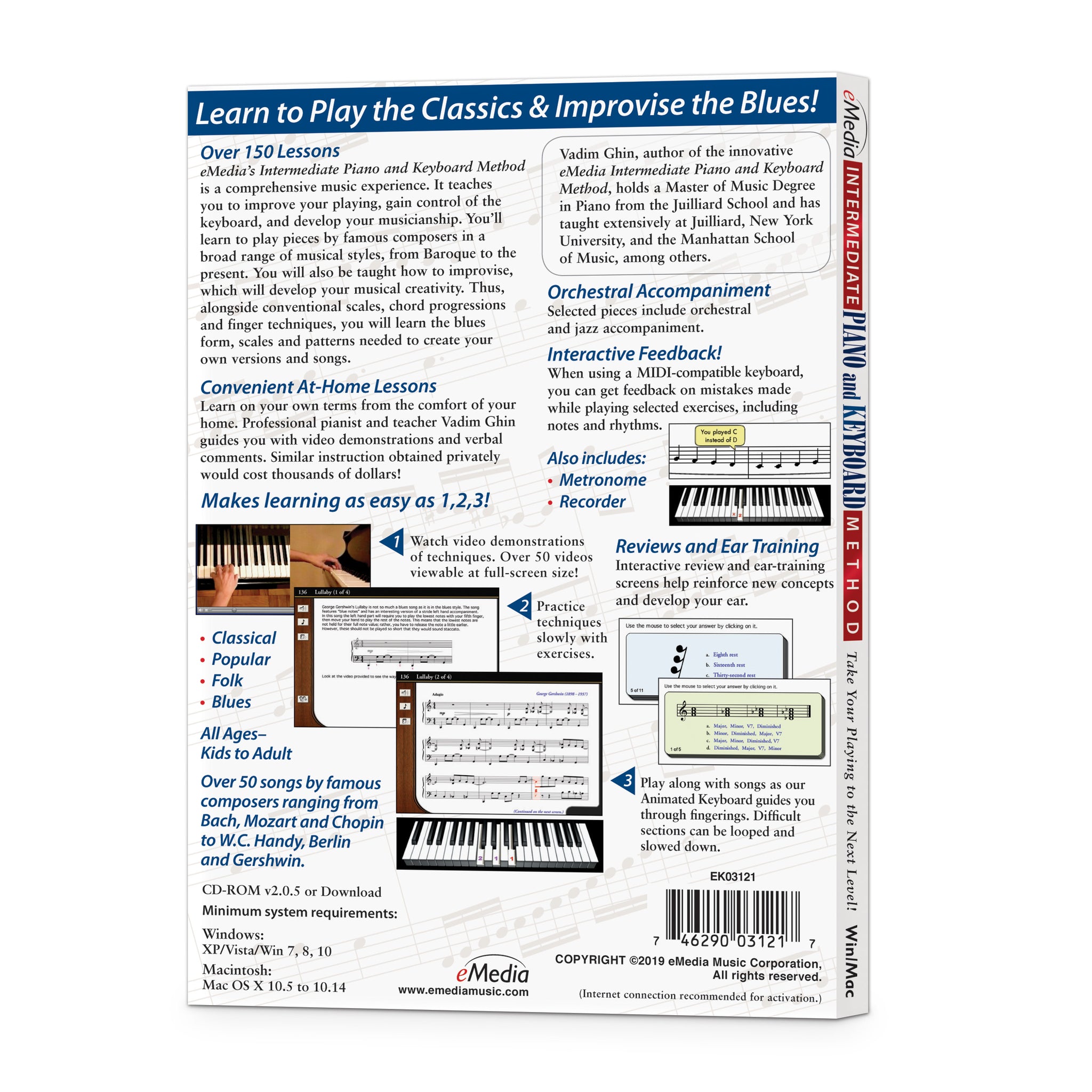
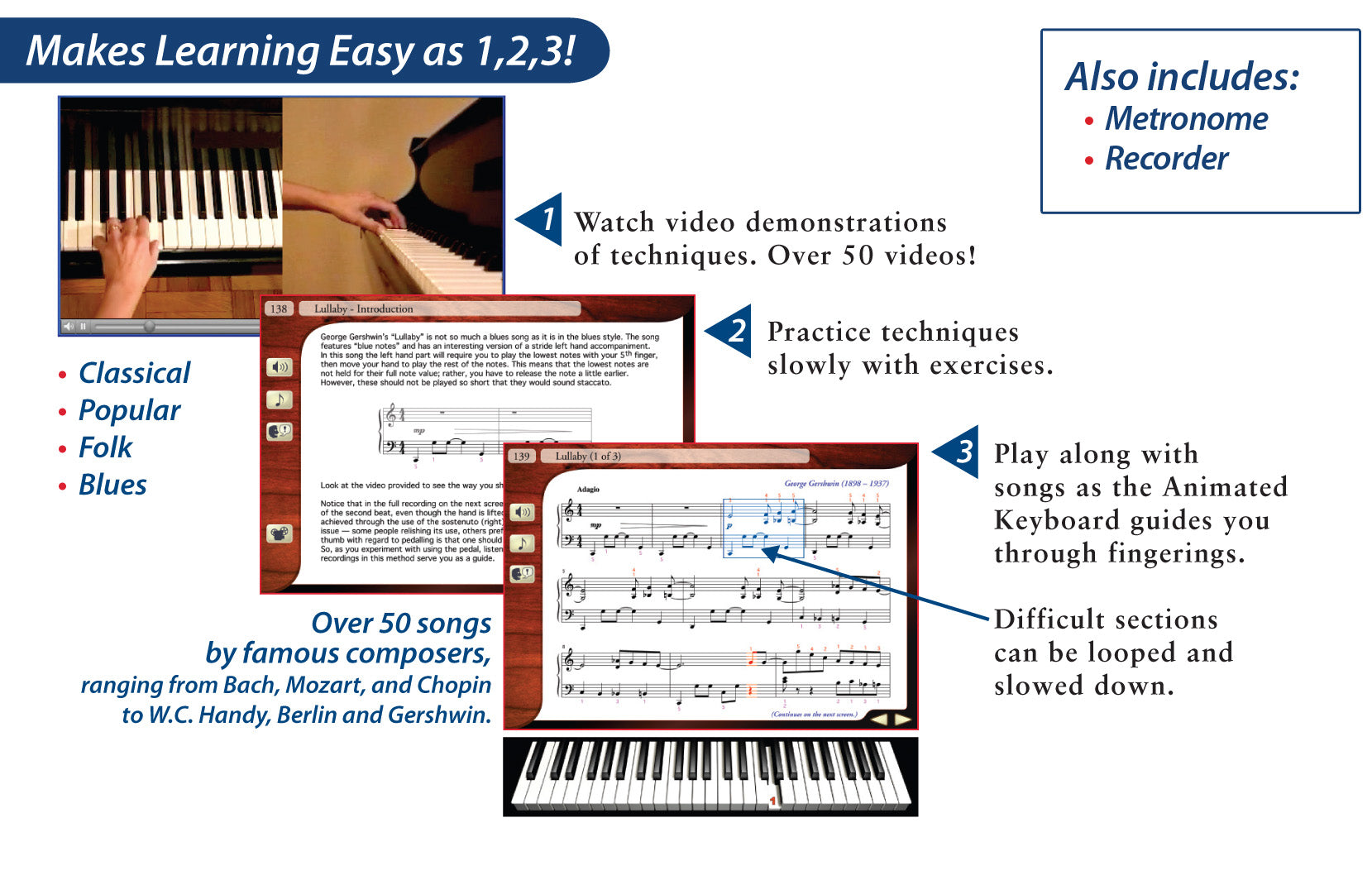
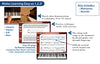
 Video Instruction Professional piano instructor Vadim Ghin, M.M., guides you in over 50 videos demonstrating techniques. Many of the videos include split-screen displays with close-ups for a clearer perspective.
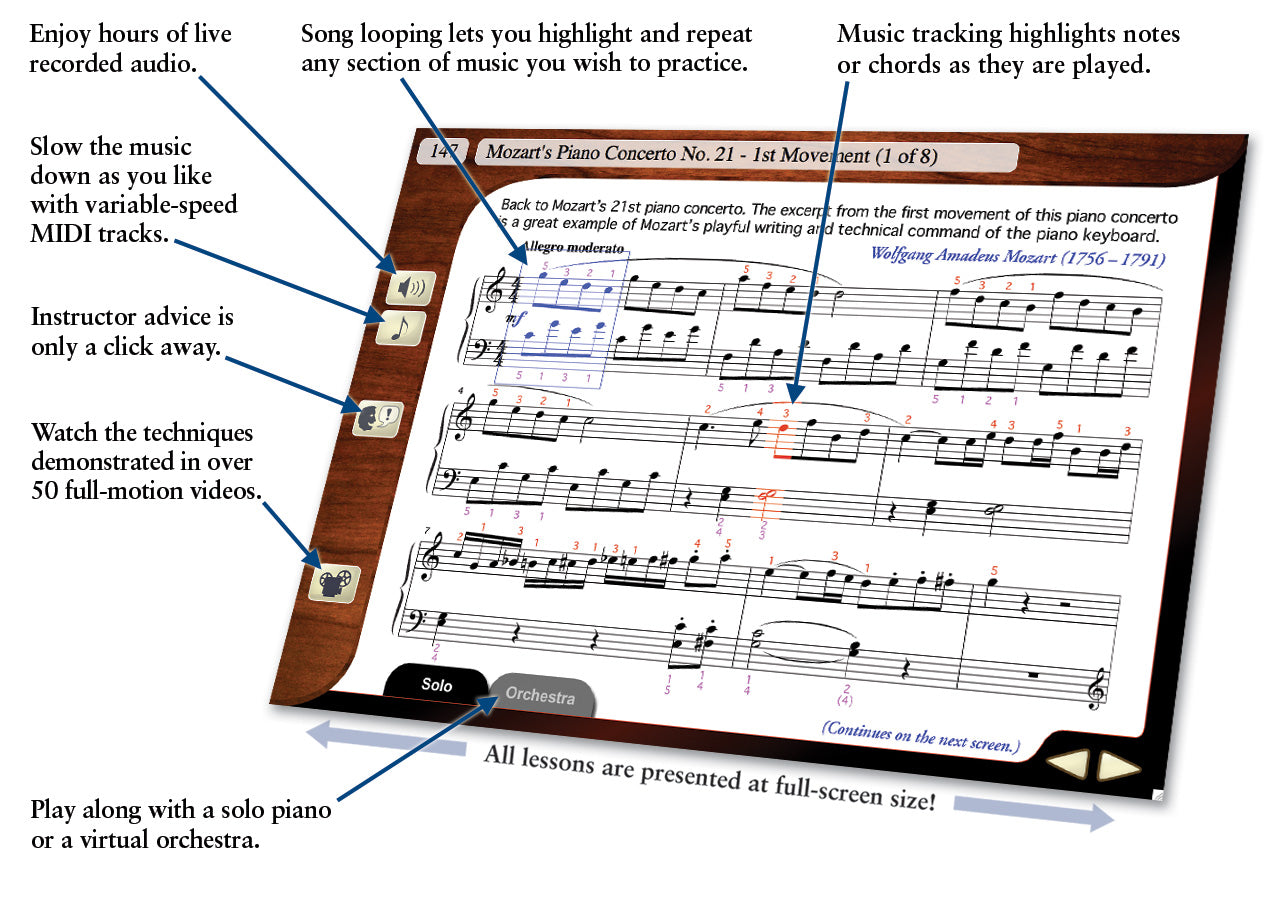
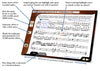
 The Animated Keyboard displays color-coded fingerings as the music plays. It allows you to see exactly how to play the song on a keyboard as you hear the music. Music tracking highlights the notes being played on the screen making it simple to follow along.
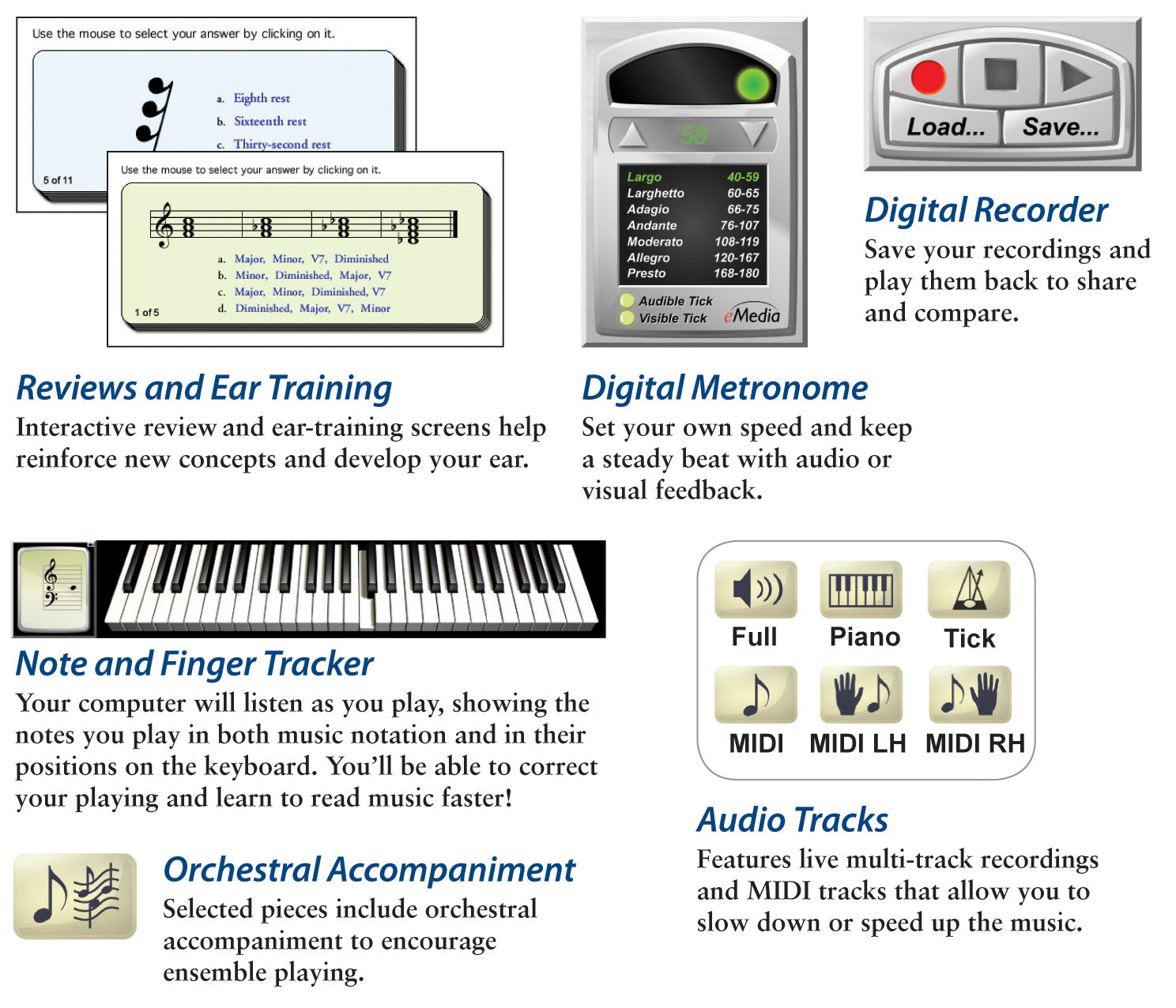
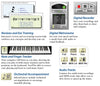
 The Note and Finger Tracker tools show you the note you play as music notation and on eMedia’s Animated Keyboard. You’ll be able to correct your playing and learn to read music faster!
 Live Recorded Audio is included for every song and exercise. Audio playback options include piano only, voice only, and full audio featuring both piano and vocal performances.


Use the variable-speed MIDI tracks to slow the music down to any tempo, and the Animated Keyboard will show the fingerings in time. You can play along and learn at the pace best suited to you!
MIDI playback options let you hear the left- or right-hand parts in isolation or just the metronome track, if you like. Colorfully arranged accompaniments are also available and can be a joy to play along with! Selected pieces include orchestral and jazz band accompaniment tracks.
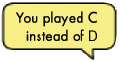

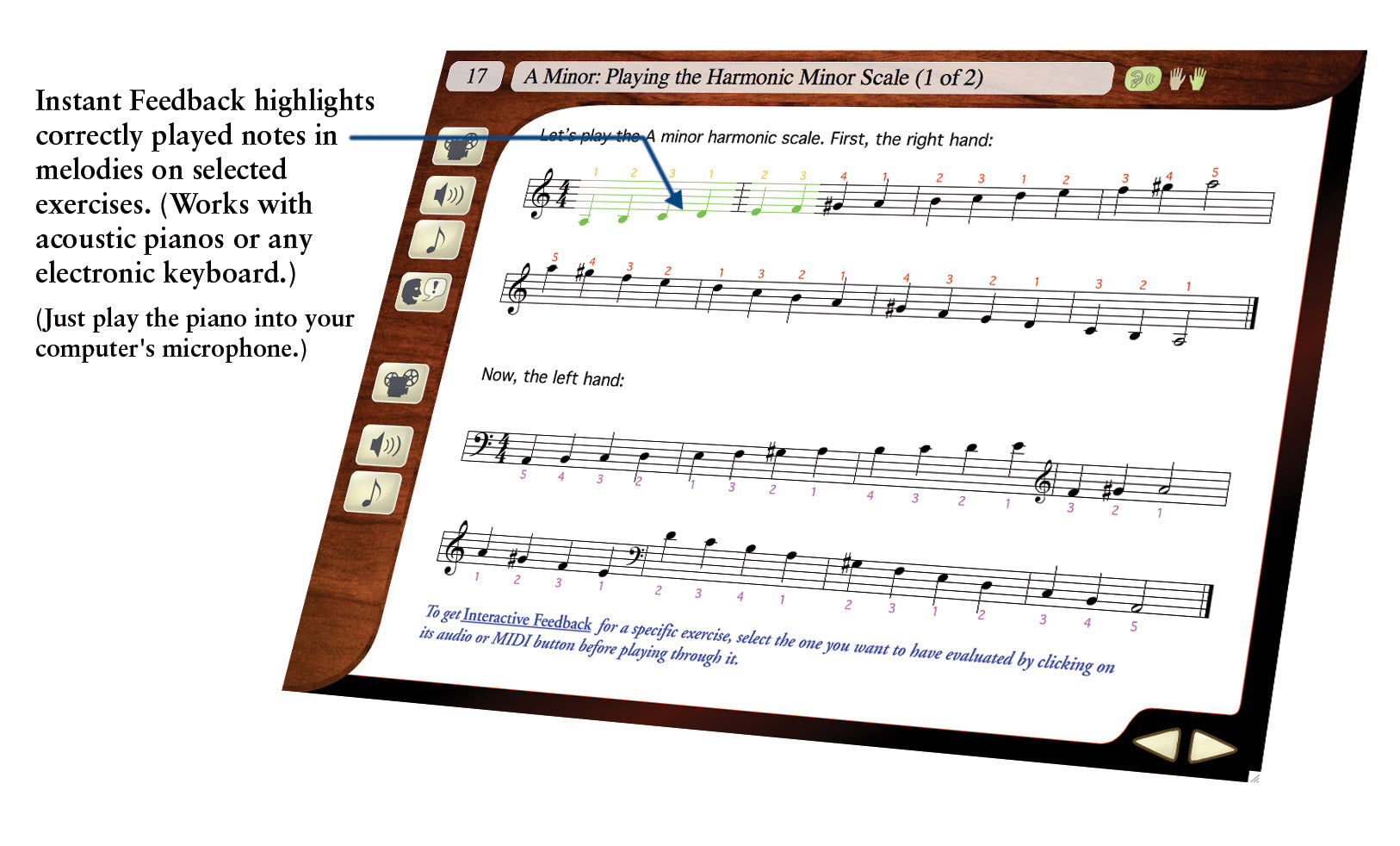
Instant Feedback and Interactive Evaluation Feedback are available for selected songs and exercises. Instant Feedback shows you when you play the correct notes as you progress through a melody. Your computer will listen as you play and highlight correctly played notes in green. This works for both acoustic pianos and electronic keyboards. When using an electronic MIDI-compatible keyboard with selected exercises, you can get specific feedback on note and rhythm mistakes. Clicking on an individual feedback balloon brings up a keyboard showing you exactly what mistake was made and what should have been played. Also, an overall percentage score summarizes how well you did on the exercise.


Reviews and Ear Training Quizzes help reinforce new concepts and develop your ear.

Song Highlighting and Looping Highlight an entire page, or just a portion of a song, and loop it for playback at whatever speed you are comfortable playing. Selected loops are now introduced with the MIDI tick count-off, so there’s enough time to get your hands back to the keyboard to play along; thus, you can follow along regardless of what section of the piece you’re working on.

Piano Fingerings help teach you the correct fingering for each note and can be toggled on or off for any screen.
 With a Metronome, set your own tempo and work on your speed, rhythm, and timing. Provides both visual cue and/or audio tick. Full range of tempi, from largo to presto.
 Use the Recorder to record and play yourself back! Compare your performance with the instructor’s version to fine tune your skills. Share your recordings with friends and family!
Attention Educators, please visit our academic product page for information on using this product in schools or for private group instruction.
Transform Your Playing Today with Piano Lessons That Teach Blues Piano, Advanced Piano Chords, Technique, Music Theory, and Piano Improvisation!
Improve Your Piano Skills and Techniques!
Vadim Ghin, M.M., who has taught at the renowned Juilliard School of Music, delivers over 150 intermediate-to-advanced piano lessons designed to help you improve piano technique, understand music theory, learn how to play blues piano, and get started with piano improvisation. Interactive Feedback technology makes this piano tutorial easy to understand, and you can click immediately to any of the piano lessons so you learn at your own pace.
The piano software includes over 50 classic piano pieces from composers like Chopin, Irving Berlin, and Jelly Roll Morton to make learning piano fun. It was carefully designed for students interested in continuing piano studies after completing eMedia Piano and Keyboard Method. Whether you want to work on piano technique, play a piano solo, learn new piano chords, or master classic piano pieces; the piano lessons found in eMedia Intermediate Piano and Keyboard Method piano software will help take your playing to the next level.
The over 150 step-by-step piano lessons offer a comprehensive curriculum that will teach the intermediate piano player the skills needed to take their playing to the next level. Beginning with intervals and expanded hand positions, the lessons progress through building dexterity, advanced rhythms and transitions, interpretive expression marks and voicing, and, finally, to blues improvisation based on the blues and the piano in Ensemble.
eMedia Intermediate Piano and Keyboard Method offers over 50 songs with a focus on blues, classics, conventional scales, chord progressions, improvisation, and other techniques necessary for mastering the piano:
- Beethoven (“Ecossaise”)
- Liszt (“Hungarian Rhapsody”)
- Tchaikovsky (“Swan Lake”)
- Dukas (“The Sorcerer’s Apprentice”)
- Chopin (Ballade No. 4)
- W. C. Handy (“St. Louis Blues”)
- Irving Berlin (“The Schoolhouse Blues”)
- Rachmaninoff (Third Piano Concerto)
- Mozart (Twenty-First Piano Concerto)
- “Jelly Roll” Morton (“Jelly Roll Blues”)
... and many more!
Vadim Ghin, M.M., author of the innovative eMedia Intermediate Piano and Keyboard Method, holds a Masters Degree in Piano from the Julliard School of Music and has taught extensively at Juilliard, New York University, and the Manhattan School of Music.
Video Instruction Professional piano instructor Vadim Ghin, M.M., guides you in over 50 videos demonstrating techniques. Many of the videos include split-screen displays with close-ups for a clearer perspective.
The Animated Keyboard displays color-coded fingerings as the music plays. It allows you to see exactly how to play the song on a keyboard as you hear the music. Music tracking highlights the notes being played on the screen making it simple to follow along.
The Note and Finger Tracker tools show you the note you play as music notation and on eMedia’s Animated Keyboard. You’ll be able to correct your playing and learn to read music faster!
Live Recorded Audio is included for every song and exercise. Audio playback options include piano only, voice only, and full audio featuring both piano and vocal performances.
Use the variable-speed MIDI tracks to slow the music down to any tempo, and the Animated Keyboard will show the fingerings in time. You can play along and learn at the pace best suited to you!
MIDI playback options let you hear the left- or right-hand parts in isolation or just the metronome track, if you like. Colorfully arranged accompaniments are also available and can be a joy to play along with! Selected pieces include orchestral and jazz band accompaniment tracks.
Instant Feedback and Interactive Evaluation Feedback are available for selected songs and exercises. Instant Feedback shows you when you play the correct notes as you progress through a melody. Your computer will listen as you play and highlight correctly played notes in green. This works for both acoustic pianos and electronic keyboards. When using an electronic MIDI-compatible keyboard with selected exercises, you can get specific feedback on note and rhythm mistakes. Clicking on an individual feedback balloon brings up a keyboard showing you exactly what mistake was made and what should have been played. Also, an overall percentage score summarizes how well you did on the exercise.
Reviews and Ear Training Quizzes help reinforce new concepts and develop your ear.
Song Highlighting and Looping Highlight an entire page, or just a portion of a song, and loop it for playback at whatever speed you are comfortable playing. Selected loops are now introduced with the MIDI tick count-off, so there’s enough time to get your hands back to the keyboard to play along; thus, you can follow along regardless of what section of the piece you’re working on.
Piano Fingerings help teach you the correct fingering for each note and can be toggled on or off for any screen.
With a Metronome, set your own tempo and work on your speed, rhythm, and timing. Provides both visual cue and/or audio tick. Full range of tempi, from largo to presto.
Use the Recorder to record and play yourself back! Compare your performance with the instructor’s version to fine tune your skills. Share your recordings with friends and family!
Attention Educators, please visit our academic product page for information on using this product in schools or for private group instruction.
Contents Summary
Introduction
I. Tonality and the Keyboard
Pitches; Key Signatures; Intervals; Expanded Hand Position; A Minor Scales and Chord Progression with Inversions; Hanon and Other Finger Exercises; Pieces Include Works by Beethoven, Liszt, Tchaikovsky and Traditional Songs.
II. Developing Manual Dexterity and Independence
Complete Note and Rest Values; E Minor Scales and Chord Progression with Inversions; More Intervals; Hanon and Other Finger Exercises; Independence of Hands; Pieces Include Works by Beethoven, Bach, Mozart, Puccini, Brahms and Traditional Songs.
III. Advanced Rhythms and Transitions
Triplets; More Intervals and Chords; Etudes; Changing Time Signatures; Pieces Include Works by Schubert, Bach, Mozart, Brahms, Debussy, Tchaikovsky and Traditional Tunes.
IV. Interpretive Expression Marks and Voicing
Expression Marks; Closed and Open Voicing; D Minor Scales and Open Chord Progression; Philipp Exercise for the Independence of Fingers; More Intervals; Pieces Include Works by Puccini, Tchaikovsky, Dukas, Saint-Saëns, Brahms, Borodin, Traditional Tunes and More.
V. Integrating Elements of Performance
More Intervals; The Diminished Chord; Hanon for Wrist Technique; Etude; Rubato; Pieces Include Works by Elgar, Handel, Chopin, Mouret, Mozart and Traditional Tunes.
VI. The Blues
The Blues Form, Scales and Progressions; Swing Rhythm; Grace Notes; Glissandos; Blues Songs Include Works by Fletcher Henderson, Jimmy Durante, Eubie Blake, Perry Bradford, W.C. Handy and Others.
VII. Improvisation Based on the Blues
Melodic, Rhythmic and Harmonic Improvisation; Walking Bass, Stride, Swing (Boogie Woogie and Other Variants), Rhythmic Repetition, Funky Rhythm; Jam Along and Make Up Your Own; Pieces Include Works by Irving Berlin, George Gershwin and “Jelly Roll” Morton.
VIII. The Piano in Ensemble
Warshauer’s Rainy Day Blues with Jazz Ensemble; The Piano Concerto with Orchestral Accompaniment (Extended Excerpts): Mozart’s Piano Concerto No. 21 (First and Second Movements); Rachmaninoff’s Piano Concertos No. 2 and No. 3.
Exercises: Developing Finger Dexterity
Exercises for 2, 3, and 4 Fingers; Hanon Exercise No. 1 in C Major, A Minor, F Major, D Minor, G Major, E Minor; Philipp’s Independence of Fingers Exercises No. 1 and No. 2.
Supplementary Scales and Intervals
Two-Octave Scales: C Major, A Minor, F Major, D Minor, G Major, E Minor; Summary of Intervals.
Review of Piano Basics
Appendix
What reviewers are saying...
 “eMedia Music’s instrument training programs are complete.”
– The New York Times, March 13, 2019
“One of the best experiences I’ve ever had with piano... I would eagerly recommend eMedia’s Intermediate Piano and Keyboard Method.”
– HomeschoolBuzz.com
What customers are saying...
“Excellent! Great instructions from teacher as to how to play the pieces.”
– Nick McConnell of Marcola, OR
“Love it.”
– Fermin Abril of Bellmore, NY
“Most beginner piano instruction is geared toward children, but as an older guy wanting to finally get serious about learning, it was a little more difficult finding a suitable instruction suite. I’ve found this method to be just what I needed.”
– Rob Turgeon
“Excellent training... I’ve used both beginner and intermediate.”
– John Amenta of Idaho Falls, ID
“Great intermediate method. My son is on lesson 58. No personal teacher ever. Amazed by this technology.”
– Joel of Hillsboro
“Excellent overall progression through the lessons. Teaching points are helpful and well placed. Would appreciate a higher proportion of interactive pieces to confirm correct note playing and provide automatic page turning.”
– William Jones of Bedford, Quebec
“In spite the difficulty of having to deal with notes names (A-G) instead of Do-Re-Mi... I use only this Method. I find it extremely interesting and well organized. I miss the interactive feedback and page turning of the basic method but I understand.”
– Javier Garcia Monedero of Mexico City
System requirements
Windows®: Windows 11 / 10 / 8 / 7 / Vista / XPDownload or CD-ROM Macintosh®: macOS 10.5 to 10.14 *
Download or CD-ROM
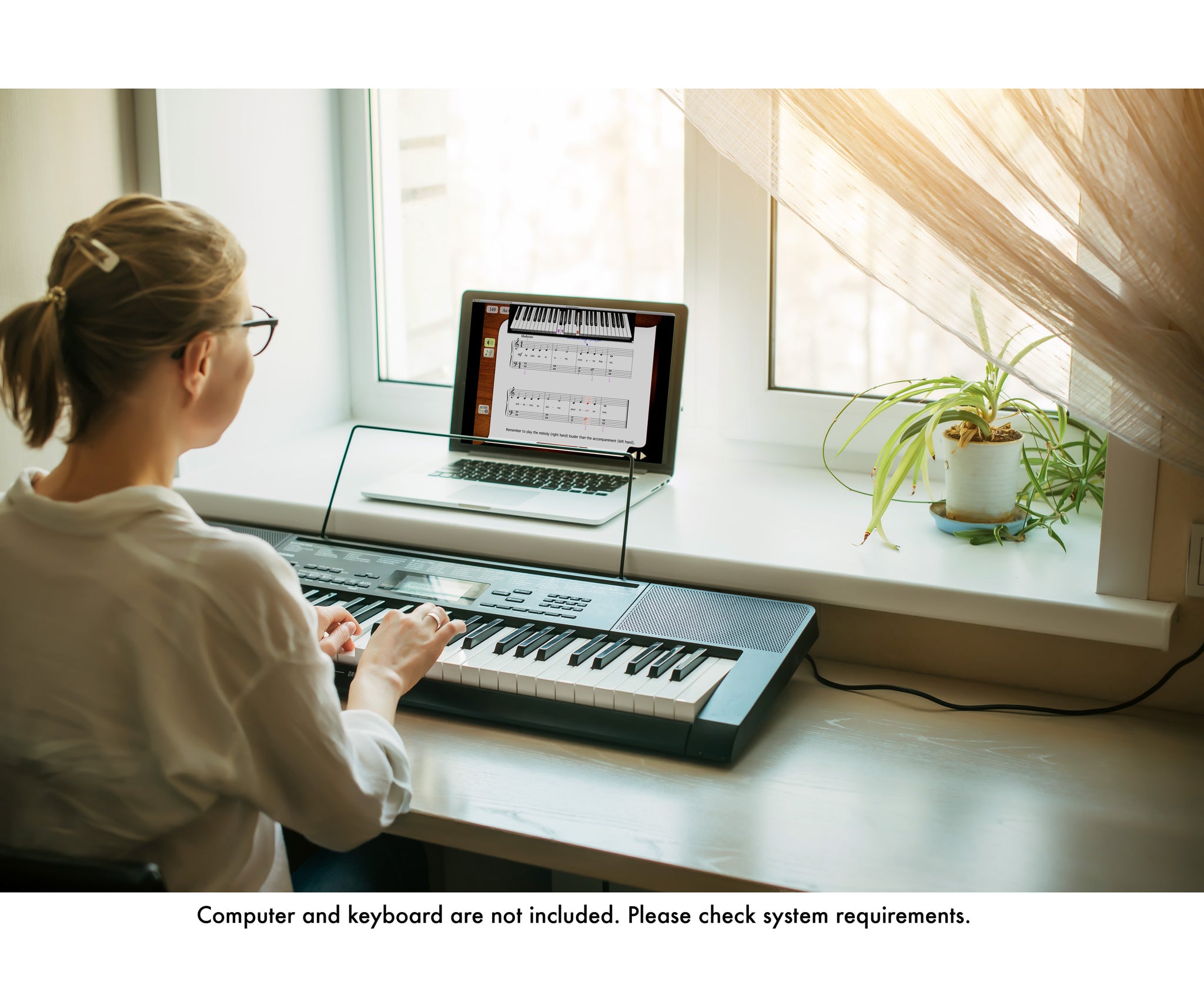
Internet connection recommended for online activation. Requires a Windows desktop, laptop, or tablet device; or a 32-bit (only) Mac desktop or laptop computer. Not compatible with iPhones, iPads, Android, or Chromebook devices.
* Attention Mac Users Beginning with macOS 10.15 (Catalina), Apple has eliminated the option to run 32-bit apps on the Mac. If you wish to continue using our applications, which currently require 32-bit support, do not upgrade your operating system past Mac OS 10.14 (Mojave). Alternatively, you can retain an older Mac operating system on a separate drive partition. eMedia developers are currently working on software updates to support Catalina and future versions of macOS, but this is a major undertaking. We are currently unable to foresee how long it will take us to create these new versions. If you purchased your eMedia Mac software on or after September 7, 2019, upon receiving proof of purchase we will provide you with a free upgrade to a macOS 10.15 (Catalina)-compatible version of an eMedia application when it becomes available. All other registered owners of eMedia software will be qualified for discounted upgrades.
Questions about system requirements? Contact our technical support department.